Inside Diaflow’s New Usage & Analytics Dashboards
22 AUG 2026
Scaling AI across an organization brings incredible speed alongside the risk of invisible operational costs. Teams often struggle to map their monthly invoice back to specific daily activities. When members run complex workflows or chat with AI teammates, tracking the exact credit burn turns into a frustrating guessing game
Diaflow eliminates this black box with our newly shipped Usage and Analytics surfaces
The Philosophy Behind Two Distinct Dashboards
Combining personal consumption and workspace totals on a single screen usually creates confusion. If a team shares a pool of 100 credits and a member uses 12, showing those two numbers together tricks the user into thinking they have 88 credits left for themselves
Diaflow deliberately split this data into two highly focused views to prevent miscalculations
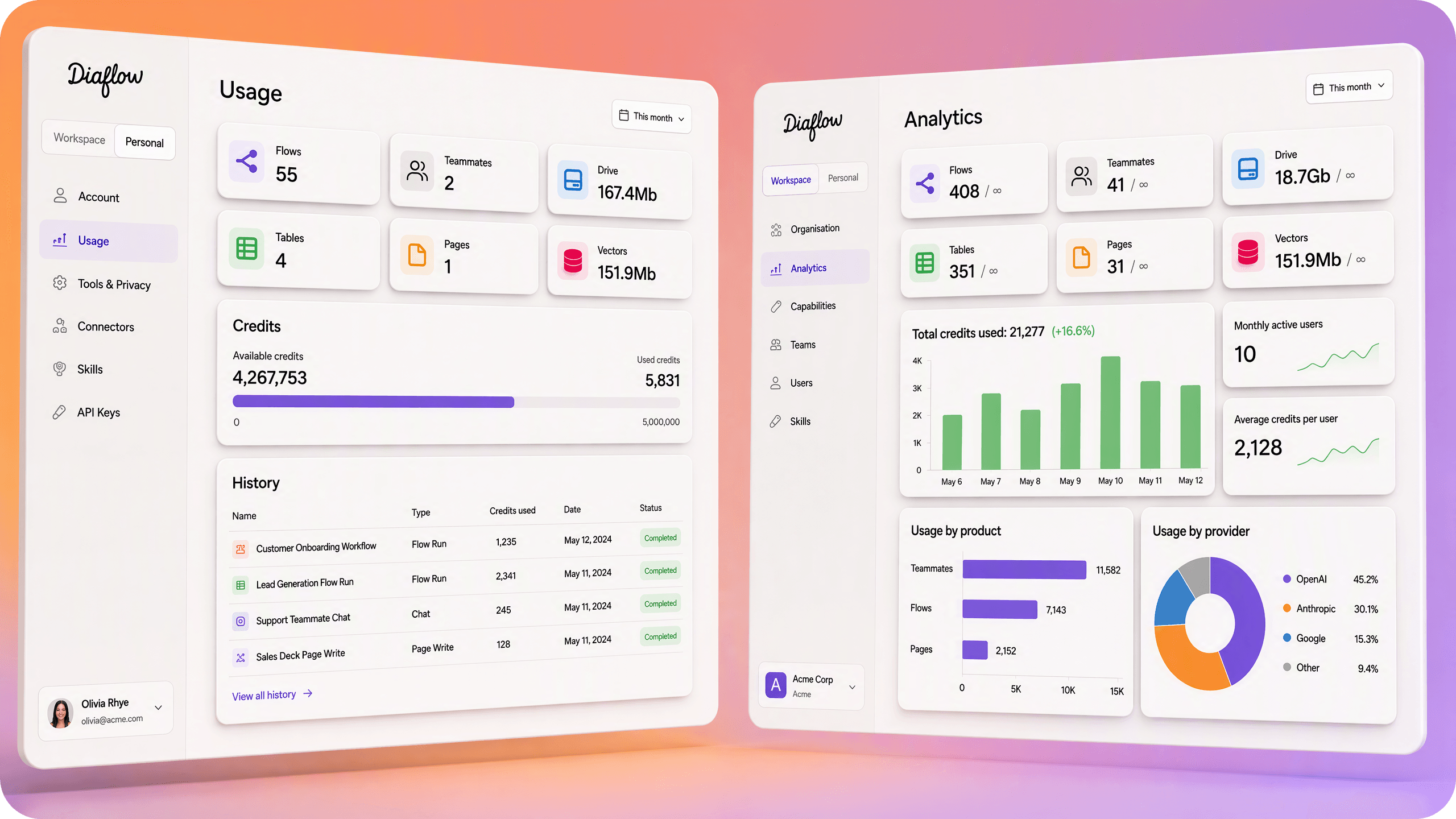
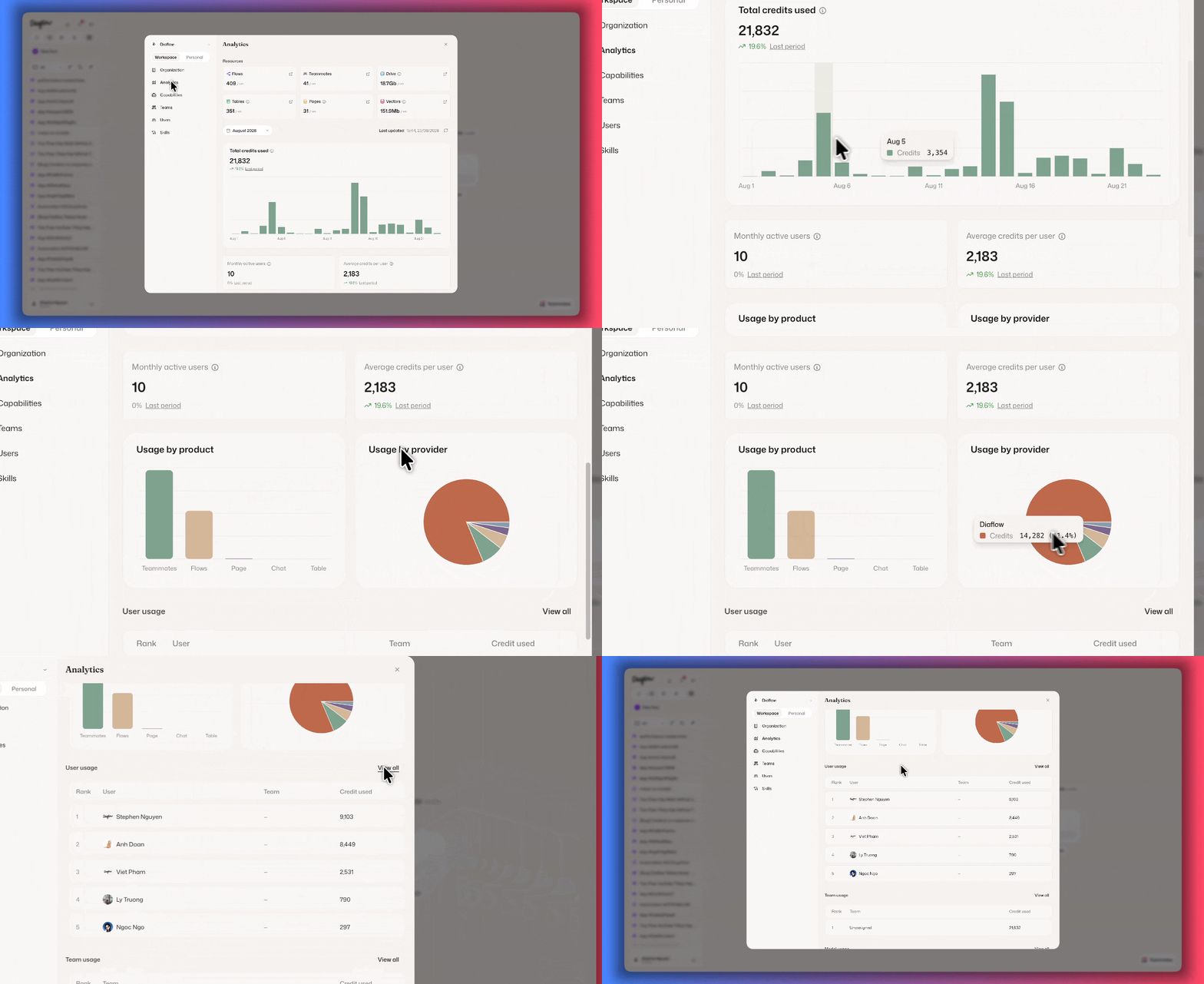
Workspace administrators need stable and trustworthy data to justify renewals or upgrades. The Analytics dashboard provides a complete monthly view of workspace consumption
Deep Monthly Metrics: Select any previous calendar month to inspect your daily credit trend
Future-Proof Provider Breakdowns: Track exactly how your credits are split across core platform features and external AI providers
Top Consumer Rankings: Review the top five users, teams, and AI models driving your usage
Automated System Tracking: Scheduled workflows and automated tasks are explicitly labeled as unknown system activity
Personal Usage: Real-Time Clarity for Every Member
The Personal Usage screen answers exactly what you consumed and how much balance remains
Actionable Itemization: Every charge in your history list links directly to the flow run, node test, or agent conversation that caused it
Human-Readable History: Activity logs use the actual names of your flows and pages rather than cryptic internal identifiers
Instant Data Refresh: The personal dashboard re-reads your data every single time you open the screen
Smart Scope Protection: Single-seat workspaces display your hard plan limits right next to your footprint
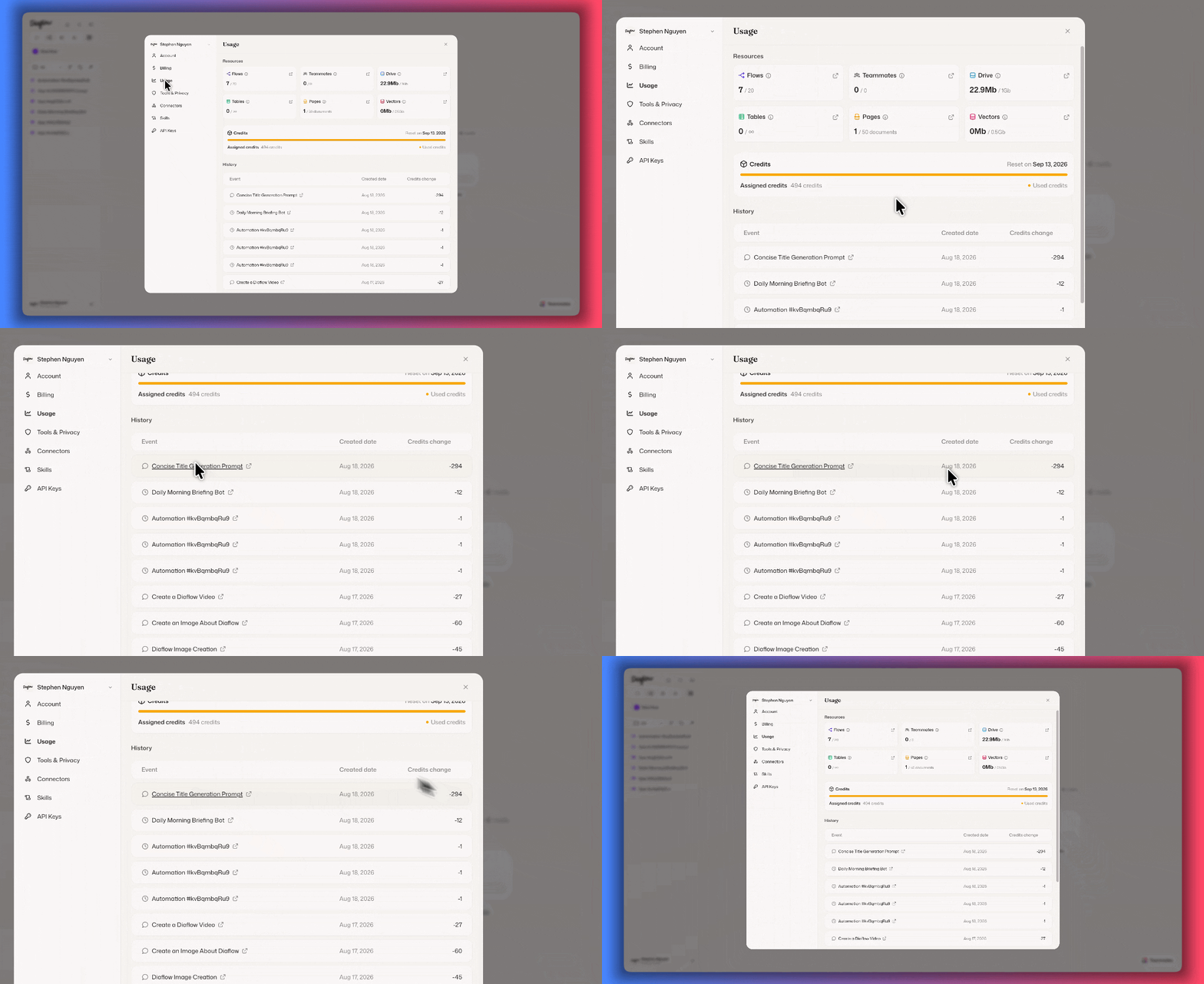
Workspace analytics and personal usage will be available starting September 1st, 2026. We can't wait to let you use it.
Empowering your team with AI should not require blind spending or complicated spreadsheets. Diaflow provides the transparent operational metrics you need to scale confidently. Log in to Diaflow today to explore your usage history, review your team's footprint, and optimize your workflows.