Automation in Email Marketing, Why It Earns About 22x More Per Email Than Campaigns
12 OCT 2026
Automation in Email Marketing is the practice of sending emails automatically based on customer behavior and data, instead of manually scheduling one-off broadcasts. Omnisend’s 2025 benchmarks show why this matters: automation earns about $3.41 revenue per email versus $0.155 for campaigns, a roughly 22x gap. The trade-off is real too, with a higher unsubscribe rate for automation (0.59% vs 0.20%), which is why the safest path is a hybrid setup: deterministic rules for who and when, AI to draft relevant content, and human guardrails before anything goes out.
Key takeaways
- Automated emails outperform campaigns mainly because timing matches intent: the message arrives right after a signup, browse, cart, or purchase event.
- Start with a small set of high-impact flows in a clear order (welcome, abandoned cart, order follow-up, win-back) and measure revenue per email plus unsubscribe rate.
Hybrid automation (rules + AI + human review) reduces brand risk and helps manage the higher unsubscribe rates that come with early lifecycle sends.
What Is Automation in Email Marketing?
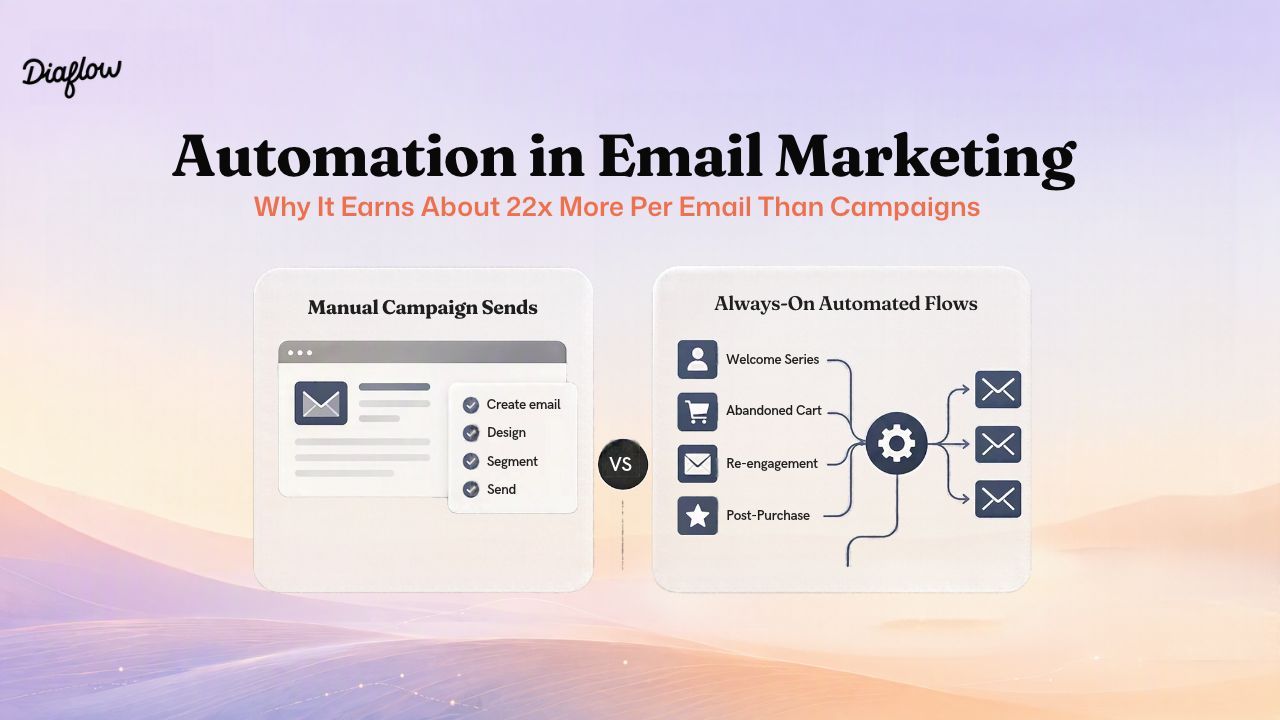
Automation in Email Marketing is trigger-based email: messages send automatically when a customer action or data change occurs, rather than on a fixed broadcast calendar.
In practical terms, you define: (1) the trigger (signup, product view, cart created, purchase, inactivity), (2) the audience rules (segment filters), (3) timing (immediate, delay, throttling), and (4) the content and next step. Campaign emails are different: they are scheduled blasts to a list or segment, regardless of a specific customer event.
Email automation is also a subset of marketing automation, which is why you will see terms like “email marketing and automation” or “email & marketing automation” used interchangeably. Marketing automation can include CRM updates, lead routing, ads, SMS, and reporting; email automation focuses on lifecycle email triggers and the sequence logic around them.
Trigger-based emails vs broadcast emails
Trigger-based emails win when the user is already in a moment of intent. A cart abandonment email reaches someone actively considering purchase, while a broadcast promo may land when the recipient is not shopping. The mechanics are simple: automation turns customer behavior into a reliable send condition.
Rules-based automation vs AI-driven automation
Rules-based automation uses deterministic if/then logic: “If abandoned cart AND not purchased within 2 hours, send email A.” It is predictable and testable, but content can become repetitive across a segment.
AI-driven automation focuses on generating or adapting content per contact using context (product browsed, category affinity, prior purchases). It can increase relevance, but it also introduces variance and needs guardrails, especially because lifecycle flows often reach subscribers early.
How Much More Does Email Automation Actually Earn?
Email automation earns more than campaigns because it captures higher-intent moments with better timing, and Omnisend’s 2025 benchmark data quantifies the gap.
Omnisend reports the following performance differences between automation emails and campaign emails, based on 2025 data spanning 20B+ campaign emails and 470M automation sends across 27,000+ ecommerce brands.
| Metric | Automation | Campaign | Gap |
|---|---|---|---|
| Revenue per email | $3.41 | $0.155 | ~22x |
| Conversion rate | 1.49% | 0.08% | ~19x |
| Unsubscribe rate | 0.59% | 0.20% | Automation higher |
Source: Omnisend Email Marketing Benchmarks.
Why the revenue gap exists: timing and intent
The strongest explanation for the revenue-per-email gap is not subject lines or clever copy. It is timing. A welcome email arrives right after signup. A browse or cart trigger arrives while someone is evaluating. An order follow-up lands when there is trust and attention. In our experience auditing lifecycle programs, the biggest lift comes from simply making sure the trigger is wired correctly and the delay is realistic, not from rewriting the same template ten times.
Why unsubscribe rates are higher for automation
Omnisend’s own explanation for the higher unsubscribe rate is that automated emails often reach subscribers early, before they know the brand well. That makes the first impressions of your welcome and post-signup flows more sensitive than a standard campaign, and it is a practical reason to add human review and tighter frequency controls when you first implement automated email marketing.
How to interpret the benchmark if you are not ecommerce
The dollar amounts are ecommerce-specific, but the mechanism generalizes. If your business has clear customer events (demo request, trial start, onboarding milestone, renewal date), then trigger timing still creates relevance. For B2B, “revenue per email” may need to be replaced with “pipeline per email” or “meeting booked per email,” but the same principle applies: the event creates intent.
Which Email Automation Flows Should You Build First?
The best first flows to build are the ones that combine high intent with simple triggers, and Omnisend’s revenue-per-email benchmarks provide a practical prioritization starting point.
| Flow | Revenue per email | Primary job |
|---|---|---|
| Welcome | $6.16 | Convert new subscriber intent into first purchase or next step |
| Abandoned cart | $3.59 | Recover near-term revenue from high intent shoppers |
| Order follow-up | $1.75 | Reduce friction post-purchase and drive repeat purchase |
| Customer reactivation (win-back) | $0.51 | Re-engage or clean the list to protect deliverability |
| B2B lead nurture | No benchmark available | Move leads to activation milestones (content, demo, trial) |
Source: Omnisend Email Marketing Benchmarks.
Suggested rollout order (author recommendation)
A practical rollout order for most teams is: Welcome, Abandoned cart, Order follow-up, then Win-back. This ordering is a build strategy, not an Omnisend claim. The goal is to start with the flows where wiring and timing are straightforward, then expand once measurement and guardrails are stable.
Flow-by-flow triggers and goals
- Welcome: Trigger on signup or first account creation. Goal: earn trust fast, confirm expectations, and guide the first conversion action. Keep frequency tight because this is where the unsubscribe risk is highest.
- Abandoned cart: Trigger on cart created without purchase after a delay window. Goal: remove friction and nudge back to checkout. Omnisend notes it is the most widely used high-value automation, with 22.5% of brands with automations using it.
- Order follow-up: Trigger on purchase. Goal: reduce post-purchase anxiety, provide setup tips, solicit feedback, and create a path to the next purchase.
- Win-back: Trigger on inactivity window or churn signal. Goal: either re-engage the subscriber or protect list health by removing non-responders.
Back-in-stock is an underused opportunity worth mentioning because it is reported at $9.14 revenue per email while only 0.6% of brands use it. If you have inventory volatility, it can be a small flow with outsized payoff.
A simple selection framework before you build anything
Use this checklist to decide whether a flow should be in your “first four”:
- Clear trigger: The event exists as clean data (signup timestamp, cart created, order ID).
- High-intent moment: The customer is already deciding, not browsing casually.
- Simple exclusion logic: You can prevent awkward sends (already purchased, already refunded, support case open).
- Measurable outcome: Conversion, revenue per email, unsubscribe rate, and time-to-next action.
If you want a broader list of workflow ideas beyond email, the internal breakdown in process automation patterns for marketers can help you spot adjacent wins like reporting and creative production.
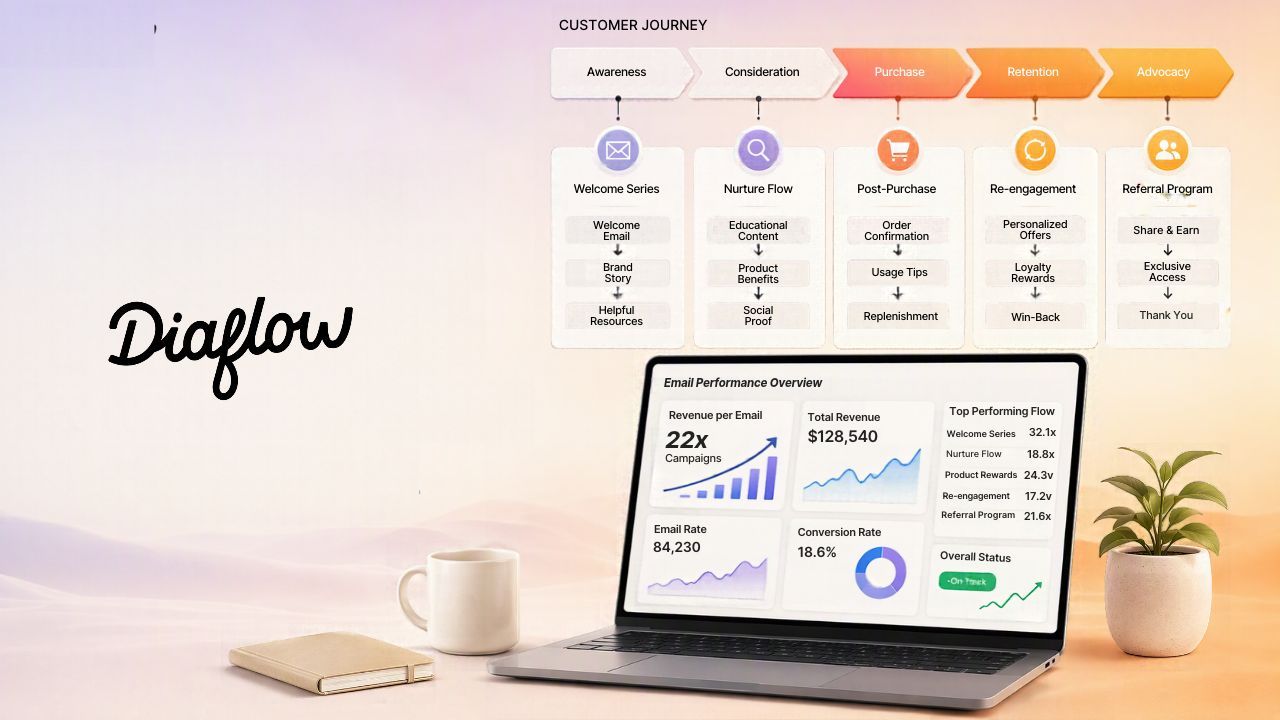
Why pure rules or pure AI fail and what hybrid Automation in Email Marketing fixes
Hybrid automation reduces unsubscribe and brand risk by combining deterministic send logic with AI personalization and a human guardrail before the email is delivered.
Where pure rules break
Rules-only programs usually fail in two predictable ways: over-broad segmentation and stale messaging. You end up sending the same “we miss you” copy to customers with very different purchase histories, and the system cannot adapt to subtle context like product category affinity or support friction.
Where pure AI breaks
AI-only systems tend to fail on controllability: output variance, off-brand phrasing, and the risk of inventing details. What surprised our team was how often unsubscribe spikes correlate with small tonal issues in early lifecycle flows, not with discount size. When automation already has a higher baseline unsubscribe rate (0.59% vs 0.20%), you do not want unpredictable copy as the default.
The 3-layer hybrid model
- Deterministic layer: triggers, segmentation rules, send conditions, frequency caps, and timing windows.
- AI agent layer: generate or adapt content using customer context (products viewed, last purchase, lifecycle stage).
- Guardrail layer: human approval for new flows, high-risk segments, or any message that the AI flags as low confidence.
The hard truth is that the quality of the data feeding the flow determines the quality of personalization. If your “product viewed” event is missing SKU details 20% of the time, your AI will either produce vague copy or guess. Hybrid design makes those missing-data cases explicit: fall back to a safe template when context is incomplete.
What can Diaflow automate in your email workflow?
Diaflow can automate the mechanics around trigger-based lifecycle email workflows by combining deterministic workflow steps with AI generation and downstream actions, while keeping a human-in-the-loop option for safety.
At a practical level, Diaflow’s Studio is where deterministic workflows run, and Teammates are where agent routines can research or draft context-aware content. In our experience, this separation maps cleanly to the hybrid model: predictable routing and timing in the workflow, creativity and variation in the AI step, and explicit checkpoints before sending.
| Email automation need | Diaflow component |
|---|---|
| Trigger on schedule, webhook, app event, or Outlook email | Studio triggers: At scheduled time, Webhook, On App Event, Microsoft Outlook |
| Trigger from CRM/app events (example: Deal stage updated) | Teammate Routines with On App Event trigger (example integrations: Gmail, Slack, HubSpot) |
| Read contact lists | Retrieve Data from Spreadsheet node, Diaflow Tables, Google Sheets and HubSpot integrations |
| Process each contact | Loop node (repeats steps per record and collects results) |
| Filter and wait | Filter node, Delay node |
| Generate personalized copy | LLM node |
| Send the email | SMTP node with dynamic To/Cc/Subject/Message/Attachments; security chosen by port; reply blocking to the triggering address; 1-hour duplicate protection |
The SMTP node’s 1-hour duplicate protection is a practical send-layer guardrail: if a workflow replays or a trigger fires twice, the system returns the previous result instead of resending the same content within one hour. You can validate the behavior directly in the docs: SMTP node.
One important positioning note: the SMTP node sends from your own mail server or mailbox, not a bulk email service provider. That makes it a good fit for lifecycle and trigger emails where you want control and guardrails, but you should not treat it as a promise of large-scale deliverability for high-volume newsletters.
How do you build workflow for an automated email workflow in Diaflow?
A reliable automated email workflow is built by wiring data ingestion, segmentation, per-contact generation, human review, and sending into one repeatable flow that handles failures and duplicates.
Below is a practical blueprint we use to keep Automation in Email Marketing predictable while still benefiting from AI personalization. Where your team places the human review step depends on your risk tolerance; until a native approval node is confirmed, the safest implementation is “draft then approve” using a separate approval loop.
Step 1: Set your trigger in Diaflow Studio
Start in Diaflow Studio by selecting the event that kicks off your workflow. You can easily connect your CRM, ecommerce app, or Google Sheets. Use a Schedule trigger for batch sends (like daily win-back checks) or an On App Event / Webhook trigger for real-time flows (like signups or abandoned carts). Diaflow allows you to validate the data payload early right on the canvas to avoid silent schema drift later.
Step 2: Retrieve contacts and normalize fields using Diaflow Integrations
Seamlessly pull your contact lists using Diaflow Tables, the Retrieve Data from Spreadsheet node, or direct CRM integrations (like HubSpot). Within the Diaflow workspace, you can quickly normalize core fields—such as email address, first name, lifecycle stage, and product context—into a consistent structure so your downstream AI prompts have stable data to work with.
Step 3: Segment and apply send conditions
Keep your targeting precise by dragging and dropping a Filter node onto your Diaflow canvas to exclude customers who shouldn't receive the email (e.g., already purchased, open support ticket, or already messaged recently). If timing is critical—such as waiting 2 hours after a cart abandonment—simply add a Delay node to strictly control the pacing of your automated flow.
Step 4: Generate copy per contact (AI step)
On the Diaflow canvas, wrap your generation step inside a Loop node to process each contact individually. Inside this loop, you can configure an LLM node with bounded prompts—specifying tone, allowed claims, and fallback instructions (e.g., “If product_name is missing, use a generic category message”).
When it comes to generating and reviewing email copy at scale, using a Diaflow AI Teammate is a game-changer. Instead of manually writing endless template variations, this AI teammate intelligently reviews your customer context and automatically drafts highly personalized, on-brand emails for each segment. It acts as a dedicated assistant that ensures your messaging always hits the right tone, saving you hours of manual work while maintaining high conversion rates.
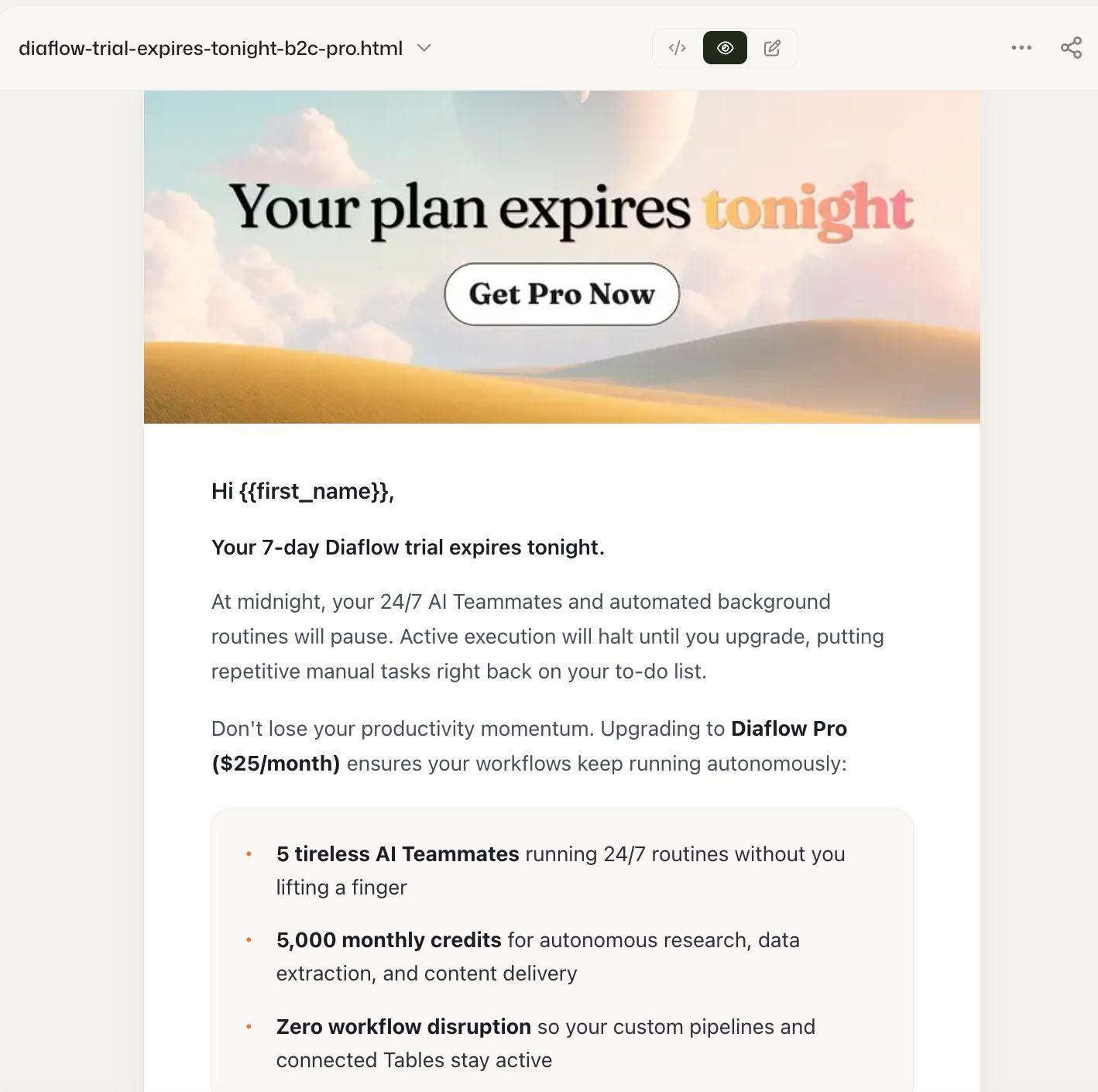
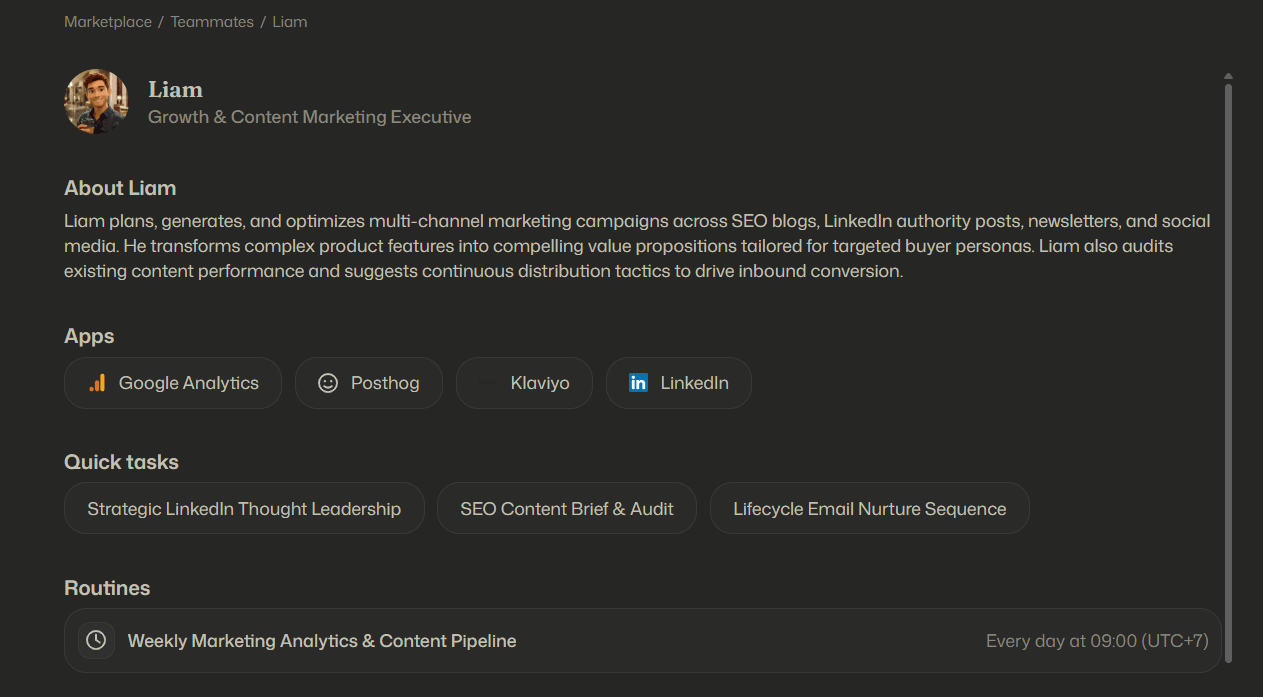
You can test out Liam to see how easily he can build and automate your end-to-end email marketing campaigns and scale your growth & content marketing workflows without repetitive manual effort.
Step 5: Add a human review guardrail (practical design)
If you need a human-in-the-loop, route drafts to a reviewer before sending. A pragmatic pattern is: workflow A generates and stores drafts in Tables or emails the reviewer; workflow B sends only after an “approved” flag is set. We initially assumed review would slow teams down, but in practice it prevents the costly failure mode: a single off-tone welcome sequence that drives unsubscribes for weeks before anyone notices.
Step 6: Send with SMTP and protect against duplicates
Send via the SMTP node with To, Subject, and Message fields filled from earlier steps. Use the node’s duplicate protection as a final safety layer during early rollout, especially when triggers can replay due to retries or transient failures.
Step 7: Monitor, log, and handle edge cases
Production flows fail in boring ways: auth token expiration, silent API failures, rate limiting, and data schema drift. Add logging per send attempt and store key metadata (contact, trigger, template version, send result). Route failures to Slack or email so you do not discover a broken automation weeks later.
If you want an example of the same hybrid pattern outside marketing, the step-by-step build in automate business processes shows how to combine deterministic logic with AI extraction and verification.
| Architecture / Platform | Core strengths | Best for | Not ideal for | TCO / maintenance |
|---|---|---|---|---|
| Custom code (Python, frameworks) | Full control, custom logic, deep integrations | Unique requirements and dedicated engineering ownership | Teams without on-call coverage and ongoing maintenance capacity | High ($15,000 to $30,000 per year in dev and upkeep) |
| Traditional iPaaS | Fast setup for linear workflows | Simple triggers and a small number of steps | Complex branching, per-contact personalization at scale, deeper guardrails | Medium, can rise with task volume |
| Self-hosted automation | Control and extensibility | Teams comfortable with servers and upgrades | Anyone who does not want DevOps overhead | Medium to high, depends on hosting and maintenance |
| Diaflow (AI workflow engine) | Deterministic workflows plus AI steps in one workspace | Hybrid workflows where automation becomes margin through consolidation | Pure bulk newsletter sending without lifecycle triggers | Lower, no custom infrastructure to maintain |
Want to see hybrid automation in action? Try Diaflow now or Book a personalized demo to discover how our AI Teammates can scale your email marketing without sacrificing brand safety.
FAQ
What is Automation in Email Marketing?
Automation in Email Marketing is a trigger-based system where emails send automatically after a customer event or data change, such as signup, cart creation, or purchase. Unlike broadcast campaigns, automation relies on deterministic rules for timing and segmentation. The goal is higher relevance in intent moments, with measurement tied to conversions, revenue per email, and unsubscribes.
Is email automation worth it?
Email automation is worth it when you have reliable customer events and a clear conversion action, because timing aligns with intent. Omnisend’s 2025 benchmarks report $3.41 revenue per automation email versus $0.155 for campaigns, but unsubscribes are also higher (0.59% vs 0.20%). Hybrid rules plus guardrails helps capture upside while managing risk.
How many flows should you start with?
Start with 2 to 4 flows so you can validate triggers, exclusions, and measurement before expanding. A common rollout is welcome, abandoned cart, order follow-up, then win-back. Each flow should have a clear trigger, a defined suppression list, and an outcome metric. Shipping fewer flows well beats launching many that silently misfire.
How do you measure Automation in Email Marketing results?
Measure conversions and revenue per email first, and track unsubscribe rate as a safety metric. Open rate is less reliable because Apple Mail Privacy Protection affects tracking, so prioritize downstream outcomes like purchases, meetings booked, or activation milestones. For each flow, compare performance to a control group or a pre-automation baseline to ensure the lift is real.
If you want to implement hybrid Automation in Email Marketing with deterministic workflow logic, AI-assisted drafting, and practical guardrails, Diaflow is a straightforward way to connect triggers, data, generation, and sending in one repeatable system. You can start by trying a template or booking a short walkthrough to validate your first two flows before you scale.