How To Automate Invoice Processing, A Step-By-Step AP Workflow
5 OCT 2026
How to automate invoice processing starts with mapping the full accounts payable workflow, then automating the decisions (validation, matching, approvals) that determine whether an invoice can flow through without human touch.
Key takeaways
- Automation is not just OCR: the real wins come from validation rules, matching logic, and exception routing.
- Start with a clear end-to-end workflow (capture to archive) and define what “straight-through” means for your AP team.
- Approval automation works best with a simple matrix, SLAs, and audit-ready logs for every decision and override.
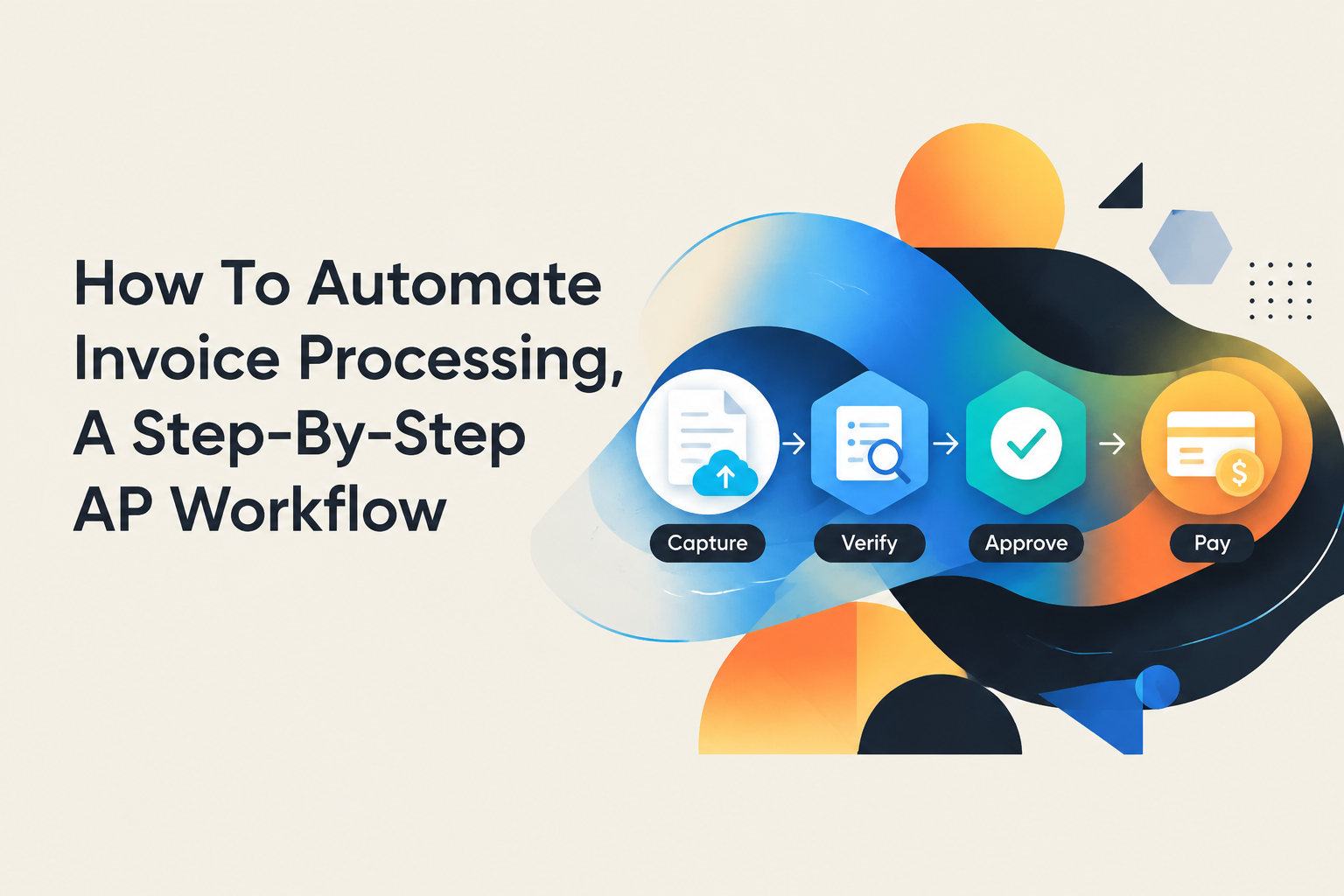
What Invoice Processing Automation Actually Means in AP
Invoice processing automation is the practice of moving invoices from intake to posting and payment using repeatable rules, structured data, and tracked approvals, not just scanning a PDF into text.
Define the AP workflow you are actually automating
Before choosing tools, write down the steps your team runs today. In most AP teams, the workflow is some version of the seven stages below, even if it is spread across email, spreadsheets, and an ERP:
- Capture (email inbox, vendor portal, EDI, scan)
- Extract (header fields and line items)
- Validate (required fields, tax math, vendor legitimacy)
- Code (GL, cost center, project, department)
- Approve (policy checks, budget owner signoff)
- Post (ERP entry and attachments)
- Pay and archive (payment run, retention, audit trail)
Outcomes to target beyond OCR
If you want a practical definition of “success,” use outcomes that are observable in the workflow:
- Straight-through processing rate: the share of invoices that go from capture to posting without human touch except approvals.
- Exception rate: invoices that fail validation or matching and must be routed for review.
- Cycle time: time from receipt to posted invoice (and to paid, if you track it).
In our experience working with finance ops teams, the biggest confusion about how to automate invoice processing is treating extraction as the finish line. Extraction is the start; controls and routing are what make automation safe.
Choose Your Automation Approach, Avoiding “Automate” Tool Confusion
Choosing the right way to automate invoices comes down to where your bottleneck lives: document understanding, workflow decisions, system entry, or end-to-end AP governance.
Four common approaches and what each is good at
- IDP/OCR (intelligent document processing): best when the hard part is turning PDFs into structured header and line-item data.
- Workflow automation: best when the hard part is routing, approvals, SLAs, validation rules, and exception handling across people and systems.
- RPA (robotic process automation): best when you must click through a legacy UI and there is no reliable API, but it can be brittle when screens change.
- AP suites: best when you want a packaged end-to-end system, typically with stronger governance but less flexibility for edge cases.
A selection checklist for invoice-specific needs
Use this checklist to avoid overbuying or choosing a tool that cannot handle your real constraints:
- Invoice variety: Do you have many templates, languages, and line-item formats, or mostly consistent vendor layouts?
- Matching requirement: 2-way match (invoice vs PO) or 3-way match (invoice vs PO vs receipt)? Matching drives exception volume.
- Approval complexity: Are approvals simple (by amount) or contextual (by cost center, entity, project, budget owner)?
- ERP integration reality: API available, or must you rely on CSV imports or UI-based entry?
- Audit expectations: Do you need a documented trace of every rule, change, approval, and override?
We initially assumed RPA would be the fastest route for teams stuck with clunky ERP screens, but basic changes like a new mandatory field can create frequent breakages. When the work is recurring and rules-driven, a workflow layer with clear exception paths is usually more stable.
The End-to-End Invoice Automation Workflow, Step by Step
How to automate invoice processing reliably requires a step-by-step workflow with defined data fields, validation rules, and an explicit “happy path” plus exception paths.
Step 1: Capture with a single intake rule
Start by eliminating “where did that invoice go?” Pick one intake channel per vendor segment and enforce it. A simple rule that works in practice is:
- All invoices go to one AP inbox (or portal), even if business users receive copies.
- Every invoice gets a unique intake ID at receipt time.
- Attachments are stored immediately with the intake ID (for audit and reprocessing).
Step 2: Extract fields and line items into a standard schema
Define the schema before extraction so the automation knows what “done” looks like. Minimum header fields most teams need:
- Vendor name and vendor ID (if known)
- Invoice number, invoice date, due date
- Currency, subtotal, tax, total
- PO number (if PO-backed)
For line items, decide whether you truly need full lines for all invoices or only for PO-backed invoices. Many teams extract full lines only when matching depends on it.
Building Real-World Invoice Extraction Use Cases with Diaflow
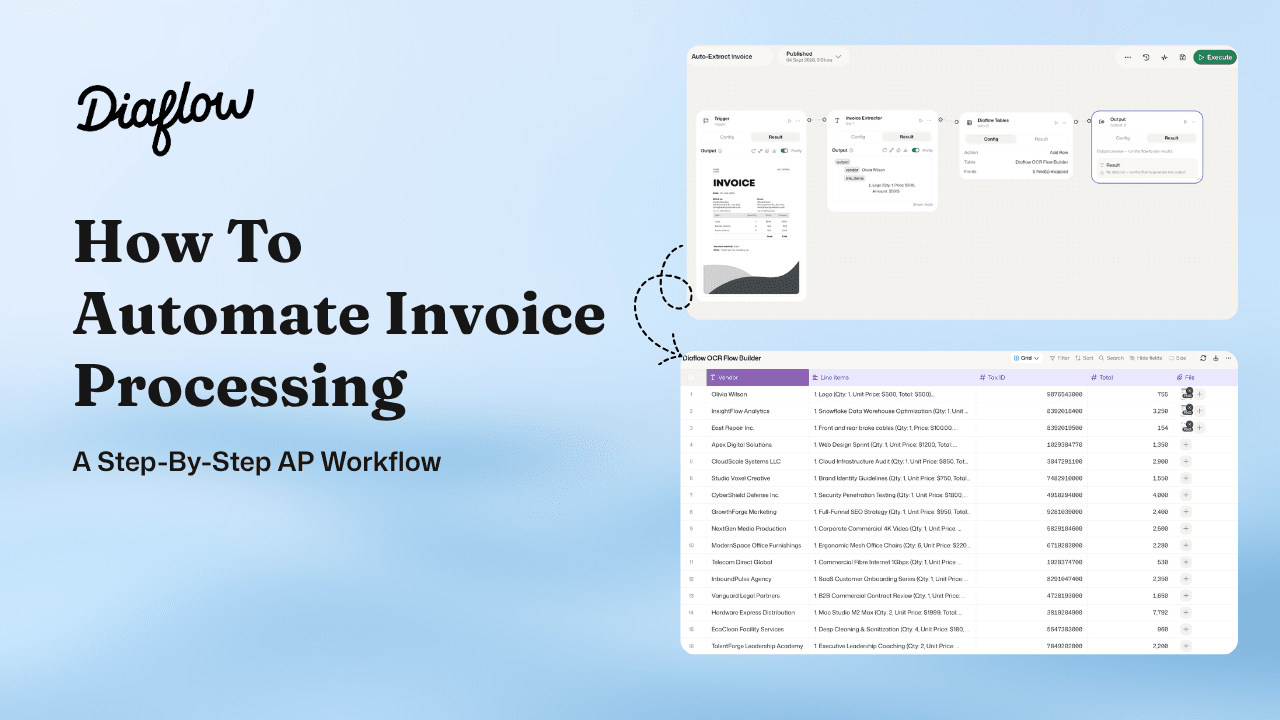
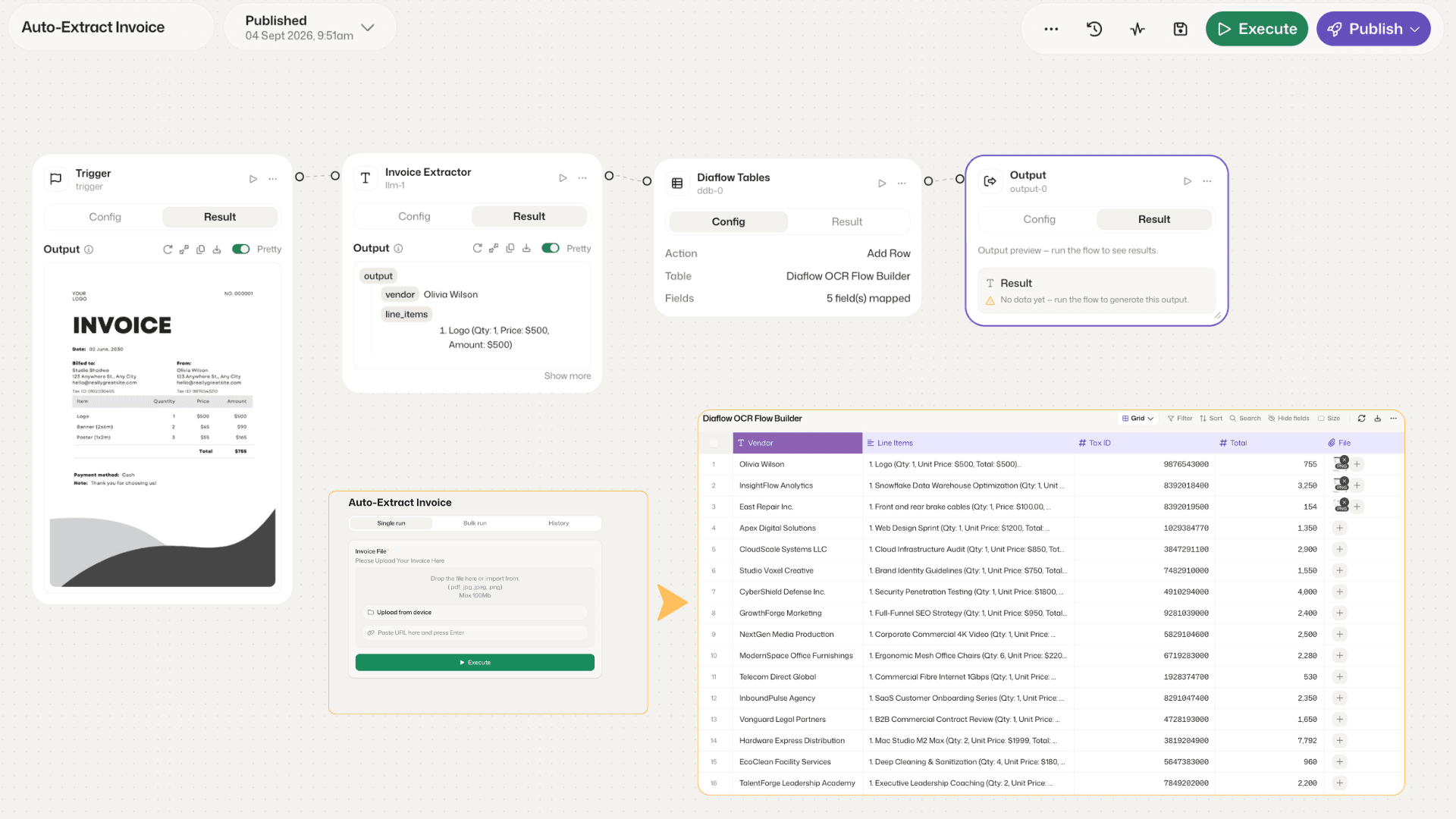
If you are looking for a solution to bring this workflow to life immediately, Diaflow provides an intuitive platform to fully automate invoice capture and processing. Instead of writing complex custom code or stitching together disjointed tools, you can easily build an automated processing pipeline directly on Diaflow:
- Automated Data Extraction: Accurately recognize and extract critical fields from invoices (such as vendor name, invoice number, dates, and totals) while seamlessly processing line-item details.
- Flexible Flow Builder: Easily connect every step from incoming receipt and validation to data table mapping and final output syncing into your ERP or storage system.
- Comprehensive Control: Keep human-in-the-loop oversight exactly where needed for approvals or exception handling, ensuring your accounts payable workflow remains smooth, transparent, and audit-ready.
Step 3: Validate with rule tiers
Validation is where most AP automations either become trustworthy or become noise. Use three tiers of checks:
- Format checks: required fields present, dates valid, totals parse correctly.
- Math checks: subtotal + tax = total (within rounding tolerance you define).
- Policy checks: vendor is active, invoice number not duplicated, payment terms allowed, tax code allowed for entity.
Make each failed check produce a specific exception reason (example: “Duplicate invoice number for vendor ID 10293” beats “Validation failed”).
Step 4: Code and classify with explainable defaults
For non-PO invoices, coding drives time. Create defaults that can be overridden:
- Default GL by vendor + description keywords (example: “AWS” to cloud hosting GL)
- Default cost center by requester, department, or email alias
- Rules for when coding must be reviewed (example: first-time vendor, new GL, or high amount)
Step 5: Approve, then post to ERP with attachments
Posting should be a predictable “write” step that happens after approvals. Keep the invoice PDF and the extracted structured record linked to the ERP transaction so auditors can trace from payment back to source.
Step 6: Pay, archive, and retain evidence
Even if payments run in your banking tool or ERP, the automation should write back payment status and keep a retention-ready archive: source file, extracted fields, approvals, and exceptions resolved.
Automate Invoice Approvals With Clear Rules and Exception Handling
Automated approvals work when you define who approves what, how fast they must respond, and what happens when rules or SLAs are broken.
Build a simple approval matrix first
Start with an approval matrix you can fit on one page, then expand only if needed. Here is a practical structure:
- By amount: for example, Manager up to X, Director up to Y, CFO above Y.
- By cost center or department: route to the budget owner.
- By risk flags: first-time vendor, missing PO, or tax mismatch triggers finance review.
Routing logic that prevents bottlenecks
Use routing rules that keep invoices moving without losing control:
- Parallel approvals when two owners must sign off (budget + procurement), then require both before posting.
- Auto-approve for low-risk invoices that meet strict rules (example: PO-backed, 3-way match passes, under threshold).
- Delegate rules for out-of-office approvers so invoices do not stall.
SLAs and escalations you can actually enforce
Set explicit SLAs and escalations, then log them. A simple pattern is:
- Notify approver immediately at assignment.
- Reminder at 24 hours (or your chosen interval).
- Escalate at 48 to 72 hours to the approver’s manager or a backup approver.
After running a few workflow audits, the pattern was clear: teams reduce approval delays fastest when every overdue invoice has a named next step, not just more reminders.
Exception handling rules that keep humans in control
Define exception queues with owners and resolution steps. Common invoice exceptions worth formalizing:
- Duplicate risk: hold for AP review, require vendor confirmation if needed.
- PO mismatch: route to procurement or requester with the mismatch reason (price, quantity, missing receipt).
- Missing required fields: auto-request corrected invoice from vendor with a templated email.
- Tax inconsistencies: route to finance tax reviewer, record decision and rationale.
For auditability, ensure every override records who changed what, when, and why. If you cannot reconstruct the decision trail later, the automation will not be trusted.
| Automation approach | Best for | Watch-outs | Start here if you want to automate first |
|---|---|---|---|
| IDP/OCR | Turning PDFs into structured invoice fields | Extraction without validation creates downstream cleanup | Standardize a field schema and confidence thresholds |
| Workflow automation | Validation, routing, approvals, SLAs, exception queues | Poorly defined rules create too many exceptions | Define the happy path and top 10 exception reasons |
| RPA | Legacy UI entry when APIs are unavailable | Brittle to UI changes and new required fields | Use for the last-mile entry step, not the whole process |
| AP suite | Packaged end-to-end AP governance | Less flexible for edge-case workflows | Adopt if you can align processes to the suite’s model |
FAQ
How do I decide what to automate first in AP?
Start where volume and rework are highest: intake standardization, basic extraction into a consistent schema, then validation rules that prevent duplicates and missing fields. Those three steps reduce downstream exceptions quickly.
Is OCR enough to automate invoice processing?
No. OCR or IDP is only the extraction step. To automate invoice processing end to end, you also need validation, matching (where relevant), approvals, posting, and exception handling with an audit trail.
What rules should I include in invoice validation?
Use format checks (required fields), math checks (totals and tax), and policy checks (vendor active, duplicate invoice number, allowed terms). Make each failure return a specific reason so exceptions can be routed correctly.
How do I keep human oversight while automating approvals?
Use an approval matrix, enforce SLAs with escalations, and require justification logs for overrides. Route only exceptions or high-risk invoices to humans, and let low-risk invoices pass automatically under strict rules.
If you want a lightweight next step, map your current AP workflow on one page (happy path plus top exceptions), then explore an agent-driven workflow layer in Diaflow that can keep extraction, validation, and human review inside a single controlled process using modules. You can get started or talk to sales when you are ready.