Top 5 Low Code Automation Tools In 2026 Top Picks Plus A Buyer Checklist
28 SEPT 2026
Low code automation tools in 2026 should be evaluated like infrastructure, not like shiny productivity apps: pick a platform that matches your governance needs, reliability bar, and total cost across build, run, and change management.
Key takeaways for shortlisting in 2026
- Define the category first: low-code automation is about long-lived workflows with guardrails, not just quick zaps or one-off scripts.
- Use a decision matrix: match your primary workflow type (marketing ops, RevOps, IT ops, finance ops, RPA) to the tool family that handles its failure modes and approvals.
- Score enterprise readiness early: RBAC, audit logs, environments, secrets, and rollback matter more than connector counts once you scale.
What Counts As A Low Code Automation Tool In 2026
Low-code automation in 2026 is best defined as workflow building that is visual by default but still supports real software lifecycle practices: versioning, environments, approvals, secrets, observability, and predictable retries.
Use this 5-part definition to avoid category confusion
- Workflow graph: a repeatable flow with triggers, branching, and error handling.
- Integration surface: connectors plus an HTTP/API path for everything else.
- Human-in-the-loop: explicit review steps for approvals, QA, or compliance checks.
- Ops primitives: logs, retries, alerting, and run history you can search.
- Governance: RBAC, audit logs, environments, and change control.
How low-code differs from adjacent categories (practical buyer view)
| Category | What it is great at | Where it breaks down | Tell-tale sign |
|---|---|---|---|
| No-code “zap” automation | Fast, simple, personal or team automations | Hard to govern at scale; limited testing/rollback | Built for speed, not lifecycle |
| iPaaS | Integration-heavy enterprise connectivity | Can feel heavy for content ops or AI content pipelines | Strong connectors, strong admin |
| BPM / workflow suites | Approvals, case management, regulated processes | Slower iteration; dev effort for “small” automations | Process modeling is central |
| RPA | UI automation when APIs are missing | Brittle when UIs change; maintenance burden | “Robot” interacts with screens |
| Agent workflows | AI-assisted work that creates drafts, variants, and decisions | Needs tight guardrails to avoid hallucinated actions | LLMs are part of the workflow graph |
In our experience, most buying committees misclassify tools by “number of integrations” instead of by “how failures are handled”; a 2 percent failure rate is invisible in a pilot and brutal in a scaled operation with approvals, SLAs, and reporting deadlines.
Top 5 Low Code Automation Tools For 2026 Best For Strengths And Trade-Offs
Top low code automation tools for 2026 separate into five archetypes, and the right pick depends on whether you are optimizing for AI-assisted production, integration depth, developer control, process governance, or UI-level RPA.
At-a-glance shortlist for 2026
| Tool | Positioning | Best for | Pricing approach (typical) | Trade-offs to plan for |
|---|---|---|---|---|
| Diaflow | AI agent workflows in one workspace | Marketing automation workflows combining AI + review + downstream actions | Free start + sales-assisted for teams (varies) | Newer category; validate governance fit against your checklist |
| n8n (Cloud or self-hosted) | Developer-friendly low-code automation | Teams that want visual workflows plus code escape hatches | Cloud plans or self-host costs | You own reliability and governance design, especially self-hosted |
| Workato | Enterprise iPaaS automation | Cross-department integrations with strong admin needs | Contracted enterprise pricing | Can be heavyweight for content-first teams |
| Appian | Process automation and BPM suite | Regulated approvals, case management, complex workflows | Enterprise licensing | Longer implementation cycles; model discipline required |
| UiPath | RPA plus automation platform | UI automation where APIs are missing | Per-bot and platform licensing | Ongoing bot maintenance when UIs change |
1) Diaflow for AI-led marketing operations workflows
Diaflow fits best when the “work” is not just moving data between apps but generating and transforming marketing outputs with AI, then routing them through reviews and publishing steps.
- Why it makes the top 5 for 2026: the platform is positioned as an autonomous AI agent workspace where workflows, content context, and assets live together, which is the pain point for modern campaign production.
- What to validate in a pilot: how you will enforce approvals, where prompts and sources live, and how you will observe and retry runs when an upstream system is slow or rate-limited.
- Evidence you can map to your checklist: Diaflow’s workspace modules (Chat, Vectors, Drive, Flows, Pages, Tables) indicate the “work + context + workflow” pattern, which matters for repeatable content and reporting processes.
2) n8n for teams that want low-code with real code control
n8n is a strong option when you want a visual workflow builder but also need the ability to drop into code, self-host, and treat workflows like software.
- Practical strength: flexible orchestration for APIs and internal tools without being locked into a single vendor’s connector model.
- Key trade-off: you must design your own standards for environments, review, and rollout discipline, especially if different teams build automations independently.
The n8n Cloud free trial is concrete and worth planning around: the trial lasts 14 days, includes Pro plan features like global variables, insights dashboard, execution search, and five days of workflow history rollback, but it is limited to 1000 executions and uses Starter-level computing power. According to n8n’s docs, if you do not upgrade by the end of the trial, the trial expires and n8n deletes your workspace, while you have up to 90 days to download workflows after the trial ends.
3) Workato for enterprise-grade integration and admin control
Workato is a common shortlisting pick when integration breadth, admin controls, and cross-functional automation are the core requirements.
- Practical strength: designed to scale across departments where auditability and standardized recipes matter.
- Key trade-off: the platform can be overkill for teams that mostly need content production workflows and rapid iteration with human review.
4) Appian for process governance and complex approval workflows
Appian is a strong fit when you need formal process modeling, structured approvals, and enterprise governance for long-lived workflows.
- Practical strength: case management and policy-aligned processes where “who approved what, when” is non-negotiable.
- Key trade-off: expect more design discipline and longer implementation cycles than lighter low-code automation tools.
5) UiPath for RPA when you cannot get APIs
UiPath is the right category pick when business-critical steps still live behind a user interface and you need automation that can click, type, and read screens.
- Practical strength: fills the gap when procurement systems, legacy CRMs, or partner portals do not offer workable APIs.
- Key trade-off: UI changes create recurring maintenance, so you should budget bot upkeep and add monitoring for brittle selectors.
Use-Case To Tool Decision Matrix For Marketing Ops RevOps IT Ops Finance Ops And RPA
Use-case mapping is the fastest way to shortlist low code automation tools without getting distracted by feature checklists.
Decision matrix you can use in a buying meeting
| Primary workflow | Typical constraints | Best-fit tool type | Suggested two-tool stack (common in practice) |
|---|---|---|---|
| Marketing ops: campaign content pipeline | Drafting at scale, approvals, asset storage, publishing | Agent workflows + human review | Diaflow + iPaaS for data sync |
| RevOps: lead routing and enrichment | Data quality, dedupe, SLA alerts, CRM governance | iPaaS / integration automation | Workato + n8n for edge cases |
| IT ops: ticket triage and user provisioning | Audit logs, least privilege, retry logic, secrets | Developer-friendly automation with strong ops | n8n + native ITSM automations |
| Finance ops: invoice intake and approvals | Compliance, approvals, exception handling, evidence trails | BPM / process suite | Appian + RPA for legacy portals |
| RPA: portal data entry | No APIs, brittle UI, monitored bots | RPA platform | UiPath + iPaaS for upstream/downstream data |
How to choose when two tools overlap
- Choose the system of record for governance: approvals and audit trails should live in one place, even if execution spans tools.
- Put brittle steps at the edges: keep UI automation (RPA) at the boundary, and keep business logic in the more maintainable workflow tool.
- Standardize error budgets: define what happens on failure (retry, escalate, rollback) per workflow class.
What surprised our team was how often “simple” marketing workflows become integration workflows once you add reporting, attribution, and content inventory; the winning stacks explicitly separate content production from data synchronization so neither side becomes a fragile monolith.
Free Free Trial Or Self-Hosted What Free Really Means And The Hidden Costs
Free in low code automation tools usually means you are paying with limits, operational risk, or delayed governance work that becomes expensive later.
Use this cost model instead of comparing sticker prices
- Build cost: time to create workflows, tests, and templates.
- Run cost: executions, compute, storage, and incident response.
- Change cost: how safely you can update flows without breaking production.
- Governance cost: RBAC setup, audit logs, approvals, and compliance reviews.
Concrete example: n8n Cloud trial and the “trial cliff”
n8n’s Cloud trial is clear and strict: 14 days, Pro features included, 1000 execution limit, Starter-level compute, and if you do not upgrade, the workspace is deleted when the trial ends; you can download workflows for up to 90 days afterward. For buying committees, that means you should schedule evaluation work inside the 14-day window and export workflows before procurement stalls.
Self-hosted is not “free”, it is a reliability commitment
Self-hosting can reduce vendor spend but adds responsibilities: uptime, scaling, backups, patching, secrets management, and on-call. After running several automation audits, the pattern was clear: teams underestimate the time spent debugging intermittent failures, and that time becomes the real cost driver once workflows become business-critical.
| Free path | What you get | Hidden cost to watch | Mitigation |
|---|---|---|---|
| Free tier | Basic runs and limited features | Limits force workarounds and shadow automation | Set a graduation rule (usage threshold) |
| Free trial | Full features for a short window | Pilot success but no governance plan | Score with the checklist before the trial ends |
| Self-hosted | Control and flexibility | Infra and incident burden | Budget for on-call and define SLOs |
Buyer Checklist For Enterprise Readiness Governance And Long-Term Maintainability
A buyer checklist for low code automation tools should score the ability to operate workflows safely over years, not just build them quickly in a pilot.
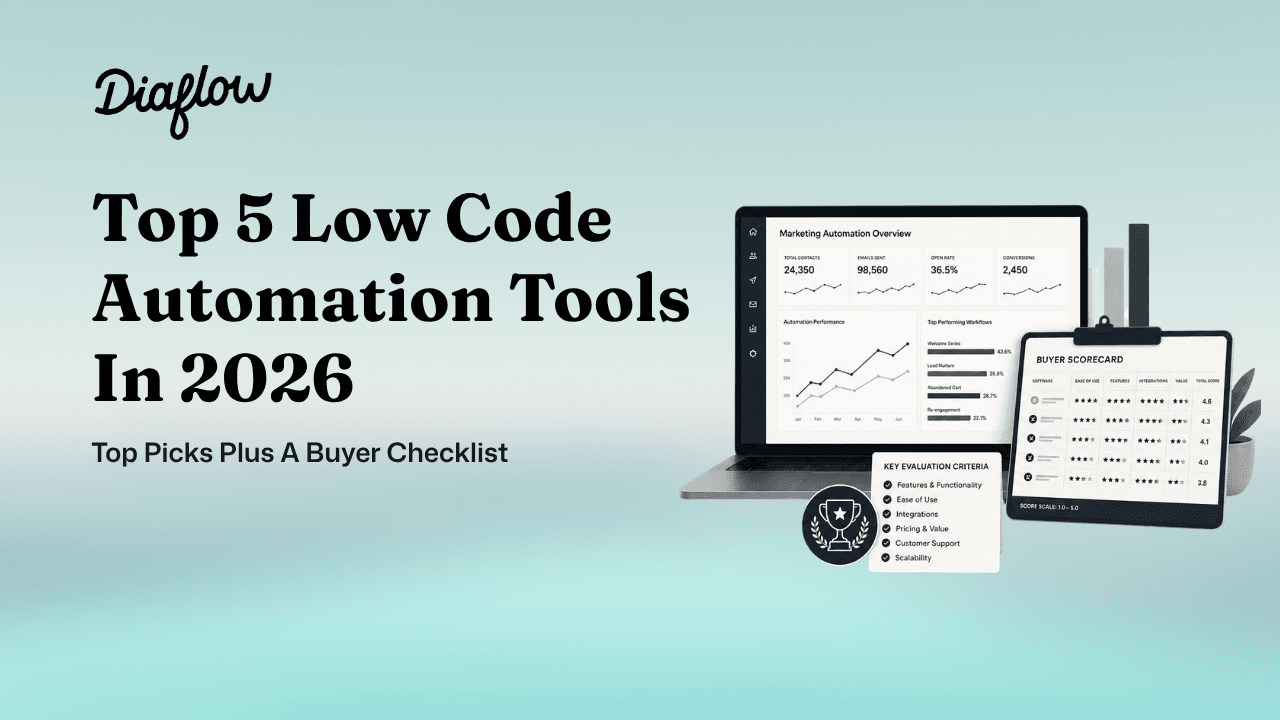
Scorecard you can copy into procurement docs (0 to 2 per line)
- RBAC and least privilege: 0 = none, 1 = basic roles, 2 = fine-grained permissions.
- Audit logs: 0 = limited, 1 = activity logs, 2 = exportable and searchable logs with retention controls.
- Environments: 0 = one workspace, 1 = staging pattern possible, 2 = first-class dev/stage/prod separation.
- Secrets management: 0 = manual, 1 = encrypted vault, 2 = external secrets or rotation support.
- Versioning and rollback: 0 = ad hoc, 1 = history, 2 = structured version control and easy rollback.
- Observability: 0 = minimal, 1 = run history, 2 = searchable executions, dashboards, and alerting.
- Reliability controls: 0 = manual reruns, 1 = retries, 2 = idempotency patterns and dead-letter handling.
- Change management: 0 = anyone edits prod, 1 = peer review, 2 = approvals plus deployment workflow.
- Data controls: 0 = unclear, 1 = export possible, 2 = clear retention and export processes.
How to interpret the score
- 16 to 18: good for enterprise workflows with predictable ops.
- 12 to 15: fine for departmental automation if you enforce standards.
- Under 12: keep it for prototypes or isolated automations only.
We initially assumed “workflow builder UX” would dominate adoption, but operational features like execution search, rollback, and environment separation ended up being the deciding factors once more than one team shared ownership.
| Scenario | Minimum checklist score to require | Why |
|---|---|---|
| Marketing content pipeline with approvals | 12+ | Human review, run history, and rollback prevent brand risk |
| RevOps lead routing tied to SLAs | 14+ | Reliability and audit trails reduce revenue leakage |
| Finance approvals and compliance workflows | 16+ | Evidence trails and environment separation reduce control risk |
| UI-driven RPA on legacy portals | 14+ | Monitoring and change control reduce bot brittleness |
FAQ
Is Appian a low-code automation tool or a BPM suite
Appian is primarily a BPM and process automation suite that includes low-code development. Buyers usually pick it when approvals, auditability, and case management are the center of the requirement, not just integration or quick task automation.
Do low-code automation tools have a future with AI agents
Low-code automation tools are becoming more important with AI agents because agents still need guardrails: approvals, audit logs, retries, and clear boundaries for actions. The practical future is hybrid workflows where AI produces drafts or decisions and the workflow enforces review and downstream execution safely.
What do practitioners complain about most in low-code automation platforms
The most common pain points are reliability at scale, brittle integrations, lack of environments, and difficulty debugging failed runs. Teams also complain when ownership is unclear and anyone can edit production flows without review.
When should you switch tools instead of adding more automations
Switch when governance and operations become the bottleneck: you cannot separate dev and prod, you lack audit trails, or failures are hard to detect and recover from. If your automations touch revenue, finance, or customer communications, treat the platform like production software and upgrade accordingly.
If your shortlist for low code automation tools in 2026 includes AI-led marketing workflows, add Diaflow to your top five evaluation list and validate it against the scorecard above by running one end-to-end pilot flow, then get started or talk to sales to confirm governance, reliability, and rollout fit.