How To Build An AI Agent For Ad Spend Pacing Without Risk
5 OCT 2026
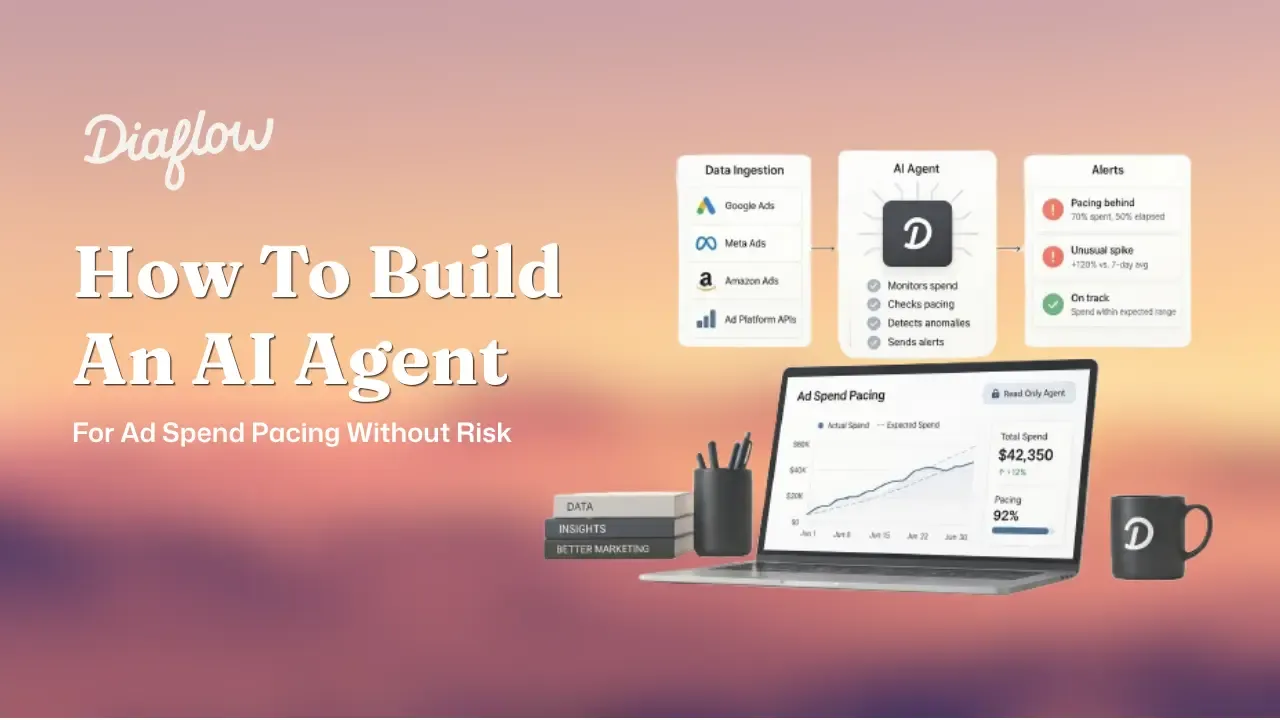
How to build an ai agent for ad spend pacing starts with a simple rule: keep it read-only so you get 24/7 monitoring without giving an autonomous system the ability to spend, pause, or edit campaigns. A safe budget watchdog agent pulls reporting data on a schedule, evaluates pacing against targets and expected delivery curves, classifies anomalies by urgency, and alerts a human in Slack or Teams with a clear next step.
Key takeaways for performance marketers
- Start with a read-only watchdog agent: you remove financial risk while keeping the analytical upside of continuous monitoring.
- Minimum viable architecture = scheduled data ingestion + LLM reasoning with structured output + guardrails (thresholds, scopes) + a human acknowledgement loop.
- Reliability improves fastest when you narrow permissions and add one confirmation checkpoint before any operational change.
Why how to build an ai agent wrong is costing you money, time, and trust
How to build an ai agent for ad ops becomes expensive when you start with autonomy instead of observability, because the cost of a single missed pacing anomaly can compound for hours before anyone notices. In performance marketing, latency is the silent killer: if an ad set goes into runaway delivery at 2 AM, you do not lose “a little efficiency”, you lose the chance to reallocate budget into the morning peak and you risk burning your learning phase on junk traffic.
For a tech founder or growth lead, the “dashboard check anxiety” is rational. Three failure modes show up repeatedly in ad ops:
- Runaway spend: pacing drifts far above plan and eats the daily budget early, reducing your ability to test creative later in the day.
- Silent stalls: delivery drops while your targets and stakeholder expectations do not, creating missed revenue windows that you only see in hindsight.
- False confidence: teams assume rules-based alerts are enough, but rules do not reason about context like weekday curves, attribution lag, or deliberate bid experiments.
In our experience working with high-velocity teams during launches, the biggest losses rarely come from “bad ads” and more often come from “bad attention allocation”: smart people spending their best hours exporting CSVs, sanity-checking pacing sheets, and chasing anomalies that could have been triaged automatically.
The cost of inaction checklist (use this to quantify urgency before you build anything):
- How many times per week does someone manually check pacing across platforms?
- How long is your detection delay for overspend or zero-conversion spend: 15 minutes, 2 hours, or next morning?
- How many active campaigns and ad sets can one buyer reliably monitor without missing anomalies?
- Do you have documented “normal variance” bands (for example, within plus or minus 5% to 10%) per channel?
If you cannot answer those from memory, you do not need a smarter dashboard. You need a safer way to operationalize attention, which is exactly why the first agent most teams should build is read-only.
What an AI agent is and why marketers should start with read-only actions
An AI agent for marketing operations is a system that repeatedly observes data, reasons about it against instructions and context, and then takes or recommends actions through tools, rather than responding once like a chatbot. The practical difference is loop plus tools: an agent runs on a schedule or trigger, calls APIs or connectors, produces structured decisions, and routes outcomes into downstream steps.
For ad spend pacing, the lowest-risk path is a read-only watchdog:
- Observe: pull spend, impressions, clicks, conversions, CPA/ROAS, and budget caps from reporting endpoints only.
- Reason: compare actual pace to planned pace and expected delivery curve.
- Escalate: send a human a clear summary, confidence, and suggested next action.
- Do not execute: no pausing, no bid changes, no budget edits.
This “zero-risk” philosophy matters because it removes the one thing that makes founders and senior marketers hesitate: letting an autonomous system touch the credit card. You still get the analytical upside of an agent, which is the ability to reason across multiple signals and produce a single, prioritized alert instead of 20 noisy notifications.
Static alerts vs scripts vs agents often get conflated, so here is a simple decision matrix you can use in planning:
- Static dashboard: passive, human must notice the change; good for weekly reviews.
- Rules-based script: fast but brittle; good for clear binary conditions (for example, “spend > X and conversions = 0”).
- AI agent: adaptive reasoning; good for “is this unusual given context?” problems, like pacing that is technically under plan but normal for weekends.
We initially assumed rules alone would cover 80% of pacing issues, but post-mortems showed the missed incidents were the contextual ones: weekend delivery shifts, attribution lag after creative swaps, and market-specific volatility. That is the exact territory where an agent that explains its reasoning is more useful than a threshold-only alarm.
The minimum viable agent blueprint for ad spend pacing
A minimum viable pacing agent needs six building blocks that you can implement in any stack in a day: trigger, tools, instructions, memory, guardrails, and evaluation. If you can sketch these on one page, you are most of the way to knowing how to build an ai agent that is reliable enough to run 24/7.
1) Trigger: make it run without you
Scheduled triggers are the safest start for pacing because you control frequency and load. A common pattern is every 2 to 4 hours for “business hours” accounts, and hourly during promotions or product drops. The trigger should pass a time window (for example, “today so far” and “yesterday same time”) into the agent.
2) Tools: only the read endpoints
Tooling should include only reporting connectors or APIs that cannot mutate budgets or statuses. At a minimum, pull:
- Spend to date and remaining budget
- Conversions and conversion value (if applicable)
- Key efficiency metrics (CPA, ROAS, CTR) to explain anomalies
- Campaign and ad set identifiers and links for human follow-up
3) Instructions: prompt like a senior media buyer
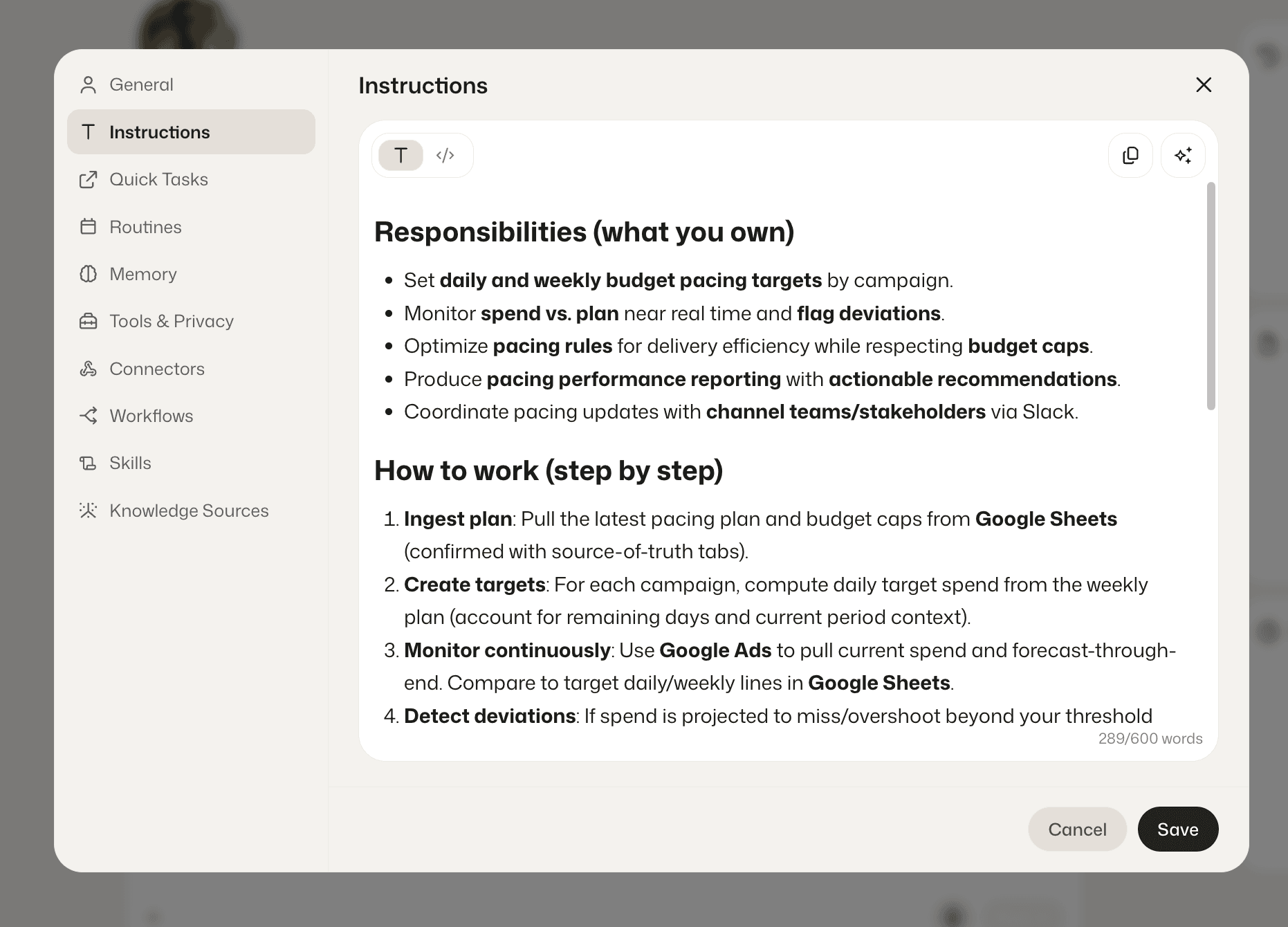
Agent instructions work best when you specify the reasoning steps and the output schema. For pacing, explicitly ask the model to: compute pace vs plan, consider expected delivery curves, account for attribution lag, and then decide severity. Require a structured JSON output so downstream logic is deterministic.
Example structured output schema (keep it short):
{
  "pacing_status": "Normal|Overpacing|Underpacing|Stalled",
  "confidence": 0.0,
  "root_cause_hypotheses": ["..."],
  "recommended_next_step": "...",
  "campaigns": [
    {"name":"...","platform":"Meta|Google","spend":0,"budget":0,"conversions":0,"pacing_rate":0.0}
  ]
}
4) Memory and context: keep it lightweight
For a watchdog, “memory” does not need to be fancy. Start with two tables: a targets table (daily budgets, pacing expectations, owner) and a history table (last N runs with status and confidence). This lets the agent answer “is this new?” and prevents alert spam.
5) Guardrails: thresholds and scopes beat cleverness
Guardrails are what keep your agent from becoming noisy or dangerous. Use:
- Normal variance band: suppress alerts for small fluctuations, often within plus or minus 5% to 10% pacing variance.
- Tiered urgency: critical vs advisory, so you page people only when it matters.
- Permission scope: read-only tokens, no admin scopes, no write endpoints.
6) Evaluation loop: measure the agent like a system, not a vibe
Track three metrics weekly: alert precision (how many alerts were real issues), alert latency (time from anomaly to human visibility), and operator time saved (minutes not spent on manual pacing checks). The fastest way to improve is to review false positives and adjust thresholds or add missing context (for example, “campaign intentionally front-loaded today”).
Build a 24/7 budget watchdog in 30 minutes visually in Diaflow
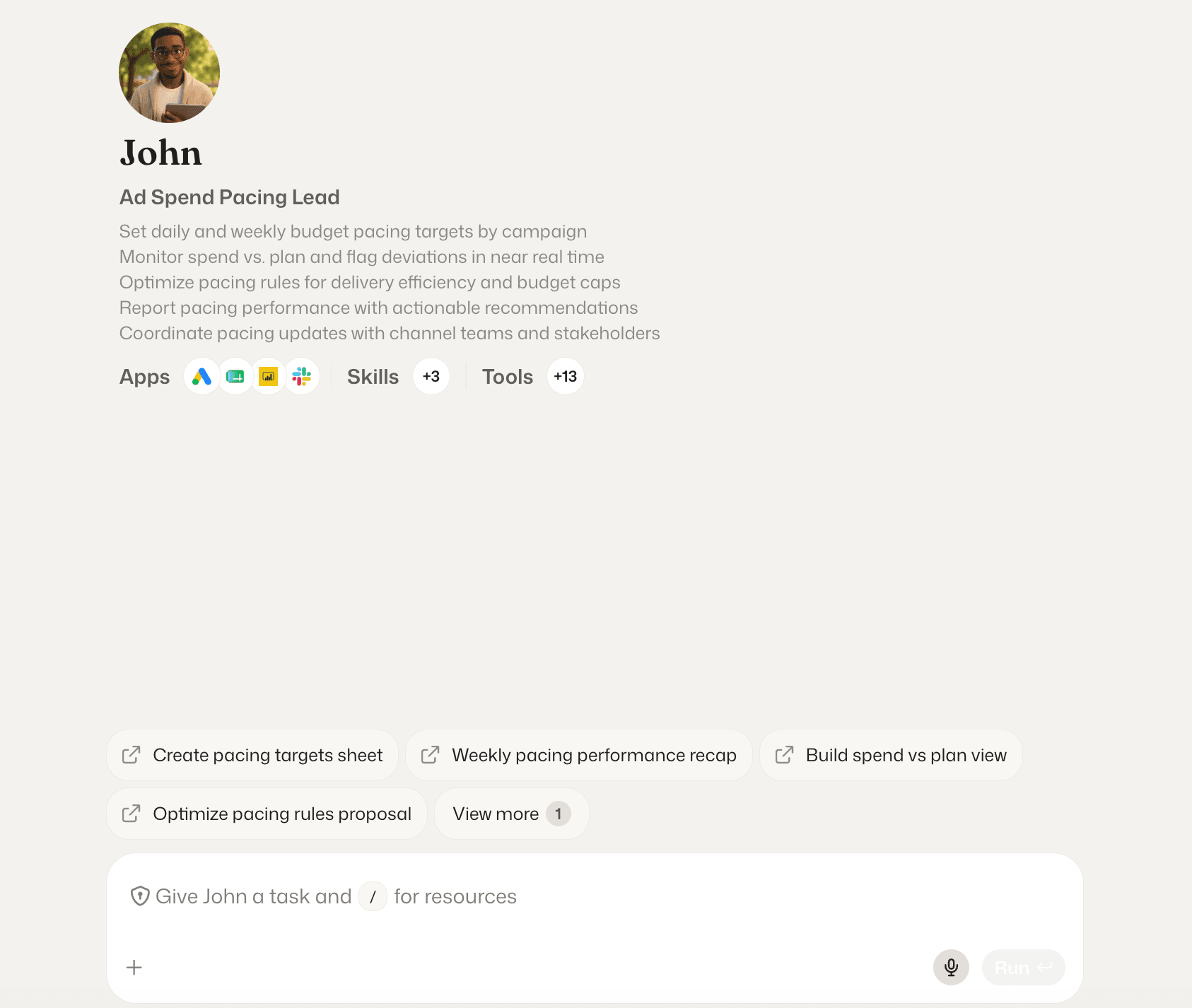
How to build an ai agent quickly is mostly about making the workflow concrete: a scheduled check, a read-only fetch, a structured analysis step, and a human-friendly alert. Diaflow is useful here because you can assemble the logic visually as a Flow and keep your campaign inputs and outputs connected, without writing backend code for orchestration.
Goal: create an always-on watchdog that analyzes Meta Ads and Google Ads pacing and posts a single triaged alert to Slack or Microsoft Teams.
Step 1: Connect a read-only ingestion pipeline
- Create a scheduled trigger (every 2 to 4 hours is a common starting point).
- Connect reporting data sources for Meta Ads and Google Ads using read-only permissions and reporting scopes.
- Pull a minimal dataset: spend, budget, conversions, and campaign identifiers for the current day and a comparison baseline (yesterday same time or last 7-day average by hour).
Step 2: Write the senior-buyer analysis prompt with JSON output
- In the LLM step, instruct the model to calculate pacing rate (actual spend divided by expected spend at this hour).
- Provide context fields: timezone, weekday/weekend label, known promo periods, and any attribution lag notes.
Force JSON output using the schema from the blueprint so downstream branches are stable.
Step 3: Automate triage with decision branches
Decision branches should filter noise first, then classify urgency. A practical triage set looks like this:
- Ignore: pacing within your normal variance band (for example, within plus or minus 5% to 10%).
- Tier 1 Critical: pacing rate above 130% or rapid spend with zero conversions (possible tracking issue, broken landing page, or wrong targeting).
- Tier 2 Advisory: underpacing that risks missing delivery, especially if you have end-of-day goals tied to launches.
Step 4: Deliver executive-grade alerts to Slack or Teams
Alert formatting is where operators gain trust fast. Include:
- Campaign name and platform
- Pacing status and confidence score
- One or two root-cause hypotheses, not a wall of text
- A single recommended next step and a deep link to Ad Manager
In our experience, the acknowledgement step is what keeps these agents from becoming ignored. Add a simple “Acknowledge” action in Slack or Teams so you can log who saw the issue and avoid duplicates.
Prevent agent mistakes with simple reliability math and human-in-the-loop checks
Reliability for agents improves most when you treat the workflow as a chain of probabilities, because small error rates multiply across steps. If each step is 95% reliable and you have five steps (fetch, parse, reason, branch, alert), the end-to-end reliability is 0.95^5, which is about 77%.
Practical implication: your agent will be wrong often enough to be annoying unless you reduce steps, validate outputs, and add one human checkpoint before anything costly. Read-only watchdogs are the best entry point because the worst-case outcome is an incorrect alert, not an incorrect spend change.
Reliability checklist you can apply immediately:
- Validate JSON: reject or retry when the model output is not valid JSON or missing required fields.
- Set minimum confidence: for example, only escalate critical alerts above a confidence threshold you define.
- Add a dedupe window: do not repeat the same alert for the same campaign within a set number of hours unless severity increases.
- Use scoped credentials: keep connectors read-only and rotate tokens.
- Human-in-the-loop: require acknowledgement before escalating to broader channels or paging systems.
Expert insight
Operationally, the safest way to scale from “watchdog” to “co-pilot” is to separate “recommendation authority” from “execution authority.” Let the agent draft the exact change you would make (for example, “reduce campaign X budget by 15%”), but force the human to apply it in the ad platform until you have weeks of audited accuracy.
| Component | Read-only watchdog (start here) | Rules-based script | Autonomous optimizer (later) |
|---|---|---|---|
| Primary goal | Detect and triage pacing anomalies | Catch simple threshold breaches | Change budgets/bids to hit targets |
| Risk level | Low (alerts only) | Low to medium (depends on actions) | High (can directly affect spend) |
| Best for | Founders, lean teams, multi-account operators | Single account with clear rules | Mature teams with strong governance |
| Core guardrail | Read-only scopes + confidence + dedupe | Hard thresholds | Approval gates + audit logs + limits |
Ready to stop babysitting ad dashboards and put your marketing operations on safe autopilot?
You don't need a team of software engineers to build powerful, 24/7 autonomous agents. With Diaflow's visual no-code canvas, you can design, test, and deploy production-grade marketing agents - with strict guardrails - in under 30 minutes.
Start Your Free Diaflow Trial Today and deploy your first zero-risk budget watchdog before your next campaign launch.
Don't forget to Join our Discord community to connect with fellow AI builders, grab free agent templates, and get real-time support!
FAQ
What is the 30% rule for ad pacing alerts?
The 30% rule is a simple starting threshold: treat pacing as critical when spend is tracking above roughly 130% of expected pace, especially early in the day when overspend reduces your ability to reallocate later. Use it as a default, then tune by channel and campaign type once you review false positives.
Is it free to build a read-only budget watchdog agent?
The concept can be implemented with free tiers and lightweight scripts, but “free” usually breaks down at scheduling, connectors, and reliable alerting. The safest approach is to budget for either a workflow tool or a small amount of engineering time, then keep the agent read-only to avoid risk.
What are 5 common types of AI agents marketers use?
Five practical categories are: read-only monitoring agents (pacing, tracking, QA), research agents (SERP and competitor summaries), content production agents (copy and creative variants), routing agents (triage inbound leads or requests), and reporting agents (daily or weekly performance narratives with charts).