Introducing the Unified Input Bar
17 AUG 2026
At Diaflow, we are constantly refining the chat experience to make interacting with AI as seamless as possible. Today, we are rolling out a targeted UI/UX update for the Diaflow Agent chat interface: The Unified Input Bar.
This update brings together three core modes, Teammate, Image, and Video, right into your chat input box. No more jumping between separate menus or losing your focus; everything you need to prompt, configure, and generate is integrated directly where you type.
Here is a look at what is new across each mode:
Teammate Mode: A Cleaner Chat Workspace
Interacting with your AI teammates in the chat interface is now cleaner, faster, and more unified.
Direct Prompting: The input bar guides you clearly to give your agent a task.
Quick Shortcuts: Use
@to tag teammates and/to instantly pull up resources right inside the chat box.Model Selection: Easily choose and switch your language models directly from the bar before executing your prompt.
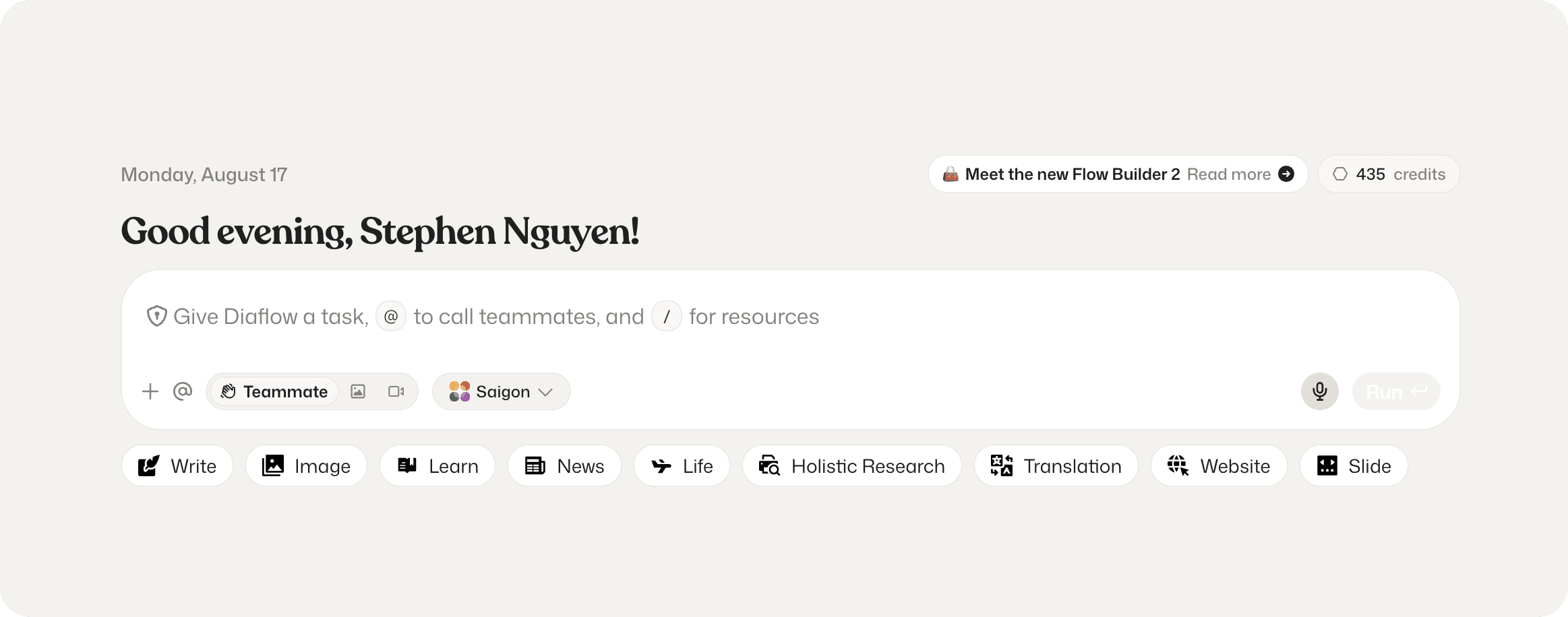
Image Mode: Advanced Visual Generation and Editing
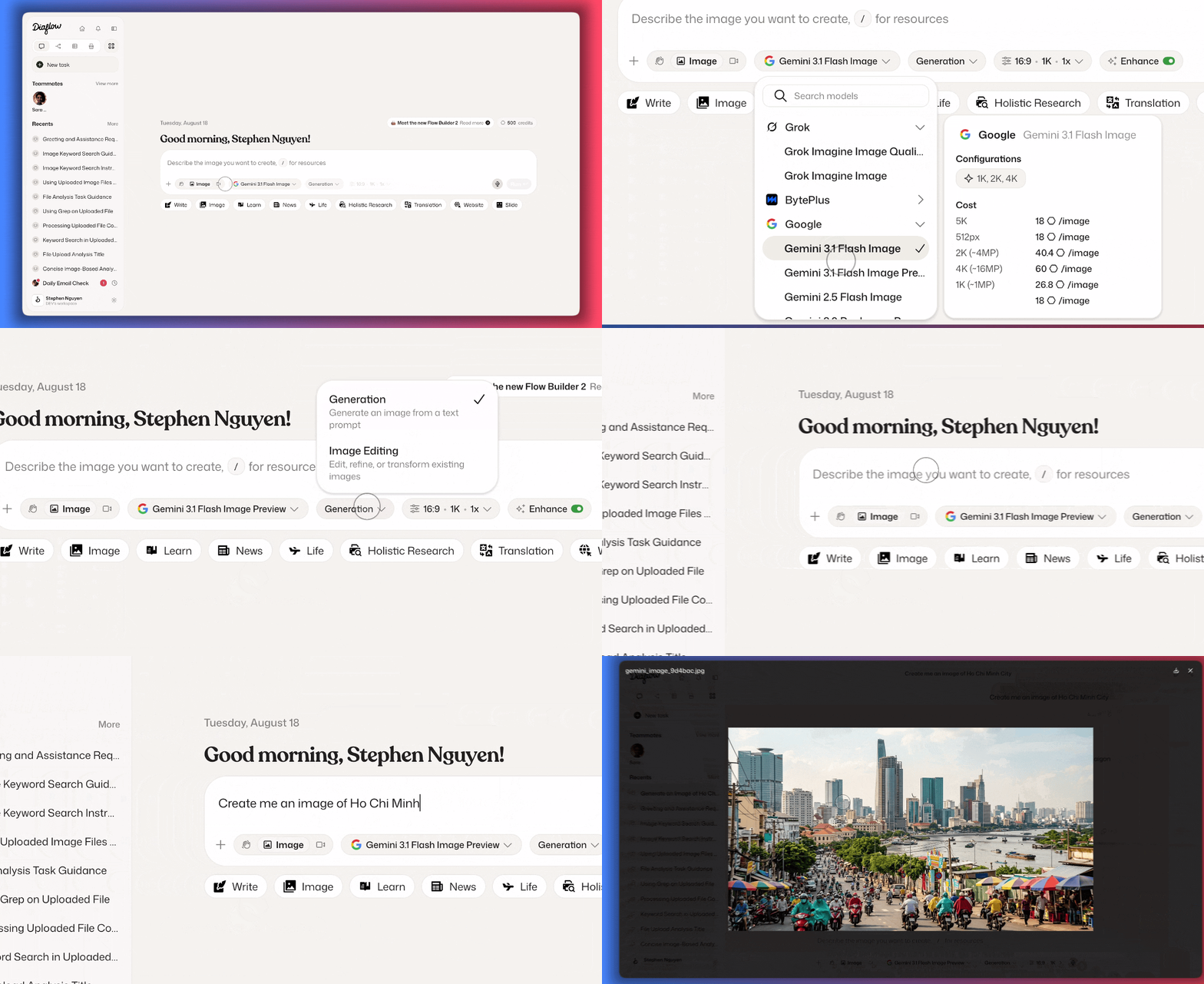
Switching over to the Image tab instantly transforms your chat input into a complete visual studio.
Diverse Model Ecosystem: Access top-tier image models from providers including Grok, Google, BytePlus, and OpenAI.
Flexible Modes: Choose between Generation or Image Editing (supporting up to 3 reference images) depending on your creative needs.
Granular Options: Fine-tune your output parameters directly from the bar, including aspect ratios, quantity, resolution, and the Enhance toggle to optimize your prompts instantly
Video Mode: Comprehensive Motion Control
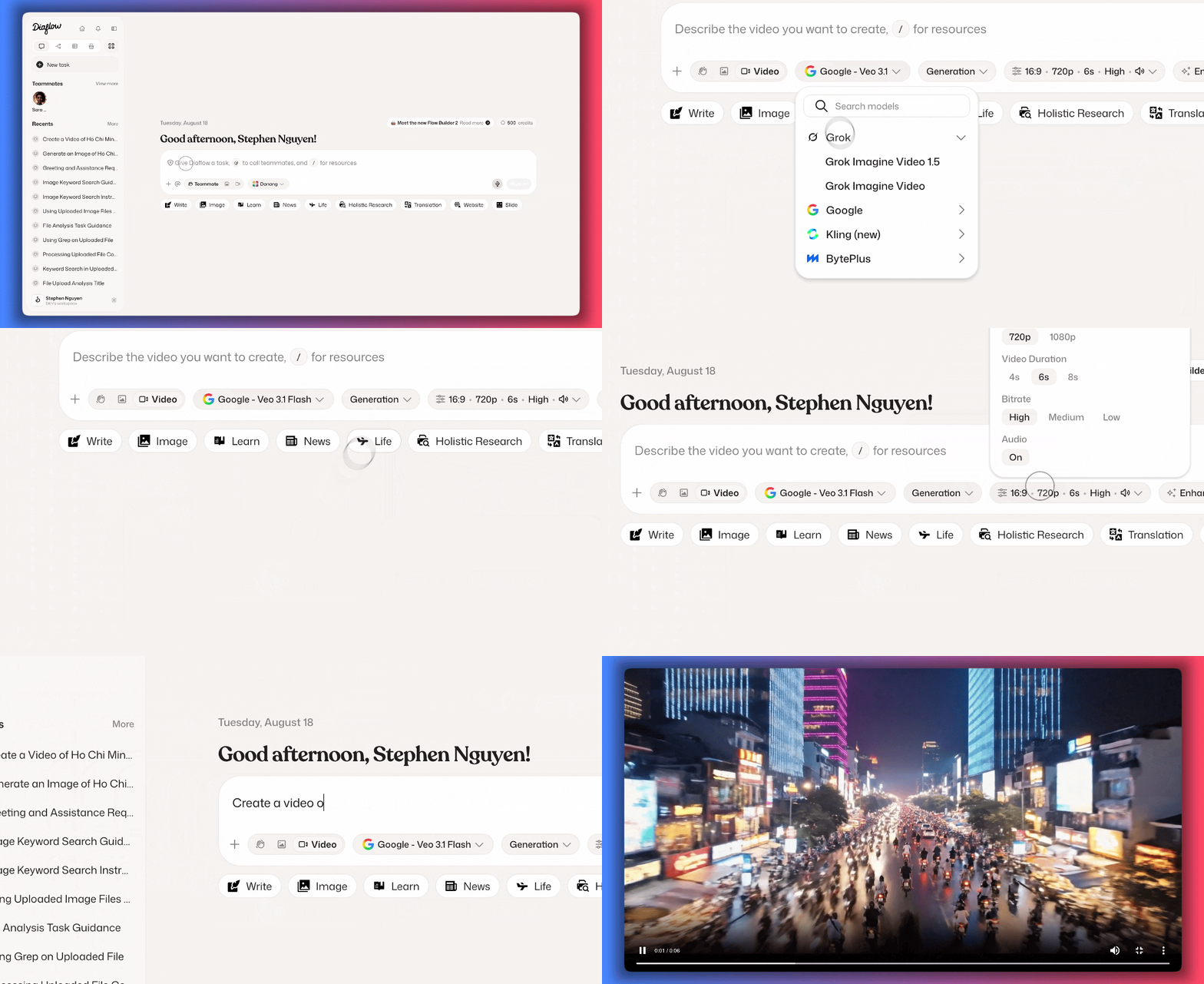
The new Video tab brings powerful video production tools directly into your chat workflow.
Industry-Leading Models: Select from advanced video generation models created by Kling, Google, Grok, and BytePlus.
Advanced Modes: Easily switch between Generation, Video Editing, Motion Control, and Video Extension to handle complex video workflows.
Complete Video Config: Dial in your exact requirements with full controls for aspect ratio, resolution, duration, bitrate, audio (on/off), and prompt enhancement.
Upgrade Your Chat Experience
This chat interface update is designed to cut down clutter and put full creative control right at your fingertips. Jump into your Diaflow Agent workspace, check out the unified input bar, and start creating today!
Upcoming feature
We are working on the audio version where you can generate music, voice, podcasts right from our dashboard with ease. Let's wait for it!